
Author
In JavaScript, a function definition is a way to create a reusable block of code that performs a specific task. Functions help organize your code, reduce repetition, and make programs more modular and maintainable.
A function can:
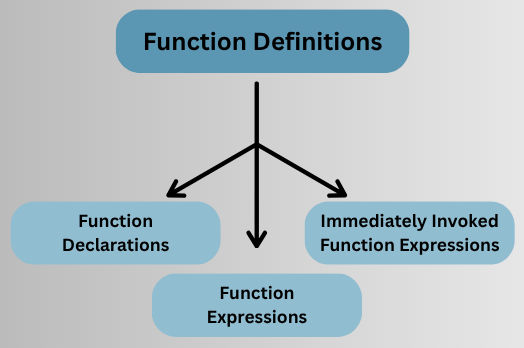
JavaScript supports several ways to define functions, each with unique behavior:
A function declaration defines a named function using the function keyword. It is hoisted, meaning it can be called anywhere in its scope, even before its definition in the code.
Syntax:
function functionName(parameters) {
  // function body
  return value; // optional
}
Example:
function greet(name) {
  console.log(`Hello, ${name}!`);
}

// Calling the function
greet("Alice"); // Output: Hello, Alice!
Can have default parameters in modern JavaScript:
function greet(name = "Guest") {
  console.log(`Hello, ${name}!`);
}
greet(); // Output: Hello, Guest!
Function expressions define a function as part of a variable assignment. They are not hoisted, so they must be defined before being called.
Syntax:
// Anonymous Function Expression
const variableName = function(parameters) {
  // Code block
  return value; // Optional
};

// Named Function Expression
const variableName = function functionName(parameters) {
  // Code block
  return value; // Optional
};
No name assigned to the function.
const greet = function(name) {
  console.log(`Hello, ${name}!`);
};

greet("Bob"); // Output: Hello, Bob!
Function has a name, useful for recursion or debugging.
const factorial = function fact(n) {
  return n <= 1 ? 1 : n * fact(n - 1);
};

console.log(factorial(5)); // Output: 120
An IIFE is a function that is executed immediately after its definition. Often used to create a private scope and avoid polluting the global namespace.
Syntax:
(function() {
  // function body
})();
or using arrow functions:
(() => {
  console.log("IIFE executed!");
})();
Example:
(function() {
  const message = "Hello from IIFE!";
  console.log(message);
})();
// Output: Hello from IIFE!
