
Author
Modern web development is not just about writing code — it’s about automating everything from testing to deployment. In React projects, CI/CD (Continuous Integration and Continuous Deployment) helps ensure that every code change is tested, built, and deployed automatically — saving time, reducing errors, and improving team efficiency.
CI/CD stands for:
Together, they create a pipeline that delivers your app to users faster and more reliably.
Using CI/CD for your React apps brings several key advantages:
GitHub Actions lets you automate workflows directly inside your GitHub repository. It uses YAML configuration files stored in .github/workflows/.
Let’s create one for a React project.
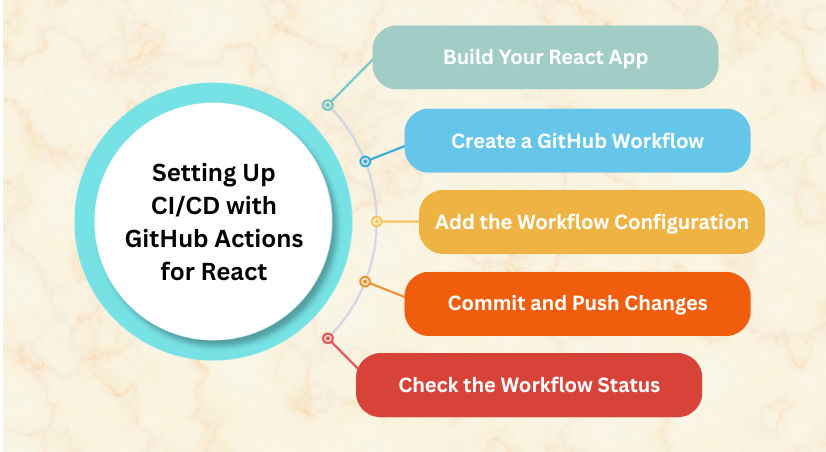
Before setting up CI/CD, ensure your app builds correctly:
npm run build
Inside your project, create this file:
.github/workflows/deploy.yml
Here’s an example GitHub Actions workflow for deploying a React app to GitHub Pages automatically:
name: Deploy React App

on:
  push:
    branches:
      - main  # Deploy when changes are pushed to 'main' branch

jobs:
  build-and-deploy:
    runs-on: ubuntu-latest

    steps:
      - name: Checkout code
        uses: actions/checkout@v4

      - name: Setup Node.js
        uses: actions/setup-node@v4
        with:
          node-version: 18

      - name: Install dependencies
        run: npm install

      - name: Build React app
        run: npm run build

      - name: Deploy to GitHub Pages
        uses: peaceiris/actions-gh-pages@v4
        with:
          github_token: ${{ secrets.GITHUB_TOKEN }}
          publish_dir: ./build
Once you’ve added the workflow file, push it to your GitHub repo:
git add .
git commit -m "Add GitHub Actions deployment workflow"
git push origin main
Now, GitHub Actions will automatically:
/build folder to GitHub PagesGo to your GitHub repo → Actions tab
You’ll see the CI/CD workflow running live — showing each build, test, and deployment step in real time.
If you’re deploying on Netlify or Vercel, CI/CD is even simpler:
No YAML setup needed — it’s all handled by the platform.
You can add sensitive data like API keys securely in your repository:
REACT_APP_API_KEYenv:
REACT_APP_API_KEY: ${{ secrets.REACT_APP_API_KEY }}
To make your pipeline more robust, you can add automated tests before deployment:
- name: Run tests
  run: npm test -- --watchAll=false
If the tests fail, the deployment will stop automatically — ensuring code quality.
| Feature | Benefit |
|---|---|
| Automated Deployment | Deploys instantly after every push |
| Testing Integration | Runs tests automatically |
| Reusable Workflows | Share and scale CI/CD setups |
| Secure Secrets | Keeps API keys safe |
| Cross-Platform | Works with GitHub Pages, Netlify, Vercel, AWS, etc. |
