
Author
When developing React applications, catching potential issues early can save you hours of debugging later. That’s exactly what React Strict Mode helps you do. It’s a development-only tool that highlights potential problems, encourages best practices, and ensures your app is ready for future React updates.
Let’s explore what it is, how it works, and how to use it effectively in your React projects.
React Strict Mode is a special feature in React that helps developers identify unsafe lifecycles, deprecated APIs, and unexpected side effects during development.
It doesn’t affect your production build — it only runs in development mode to make your code more reliable and future-proof.
You enable it by wrapping your app (or part of it) inside the <React.StrictMode> component.
In a typical React project (e.g., created using Create React App or Vite), Strict Mode is already enabled by default in your index.js file:
import React from "react";
import ReactDOM from "react-dom/client";
import App from "./App";

const root = ReactDOM.createRoot(document.getElementById("root"));
root.render(
  <React.StrictMode>
    <App />
  </React.StrictMode>
);
Here, React will run extra checks and issue warnings in the console if it detects potential problems.
React Strict Mode helps you identify:
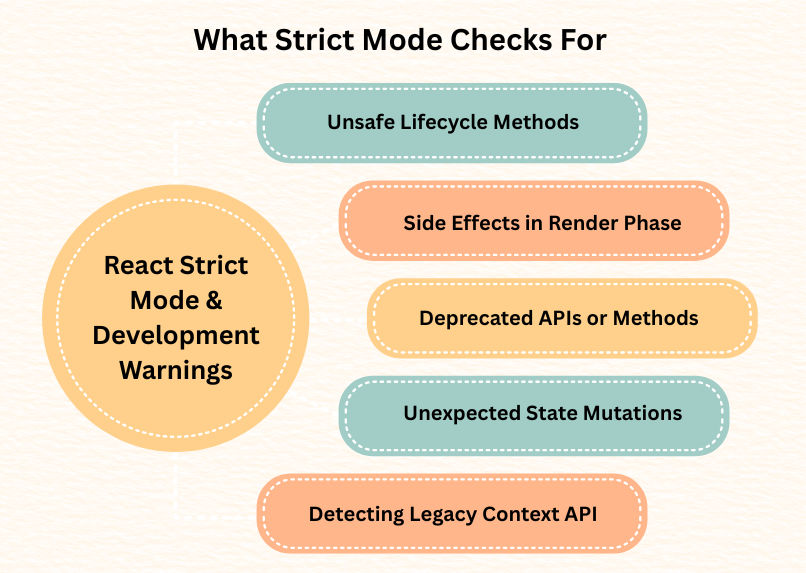
componentWillMount, componentWillReceiveProps, and componentWillUpdate, which can cause bugs in async rendering.useEffect, useState, or class constructors twice (in development only) to help you detect side effects that shouldn’t run during rendering.React.createContext() approach.You might notice that certain functions (like useEffect or useState initializers) seem to run twice in development mode.
Don’t panic — this is intentional.
React does this to help you identify side effects that run during rendering, which can cause bugs when components are mounted or re-rendered.
Example:
useEffect(() => {
  console.log("Effect ran!");
  fetch("/api/data"); // side effect
}, []);
In Strict Mode, the log may appear twice in the console — but in production, it will only run once.
When React detects a potential issue, it shows warnings in the browser console — not errors, so your app still runs.
Common warnings include:
key props in listsHere are some practical tips to get the most out of Strict Mode:
render() or outside useEffect().<React.StrictMode> to test them individually.Example:
function App() {
  return (
    <><React.StrictMode>
        <UserProfile />
      </React.StrictMode>

      <LegacyComponent /> {/* Not inside StrictMode */}
    </>
  );
}
