
Author
React re-renders components when their state or props change. This keeps the UI updated but can slow down large apps if it happens too often. Preventing unnecessary re-renders makes your app faster and more efficient.
React re-renders a component whenever its state or props change. But even if the data stays the same (like when a parent re-renders), child components may still re-render — unless you optimize them.
Main ways to prevent re-renders in React:
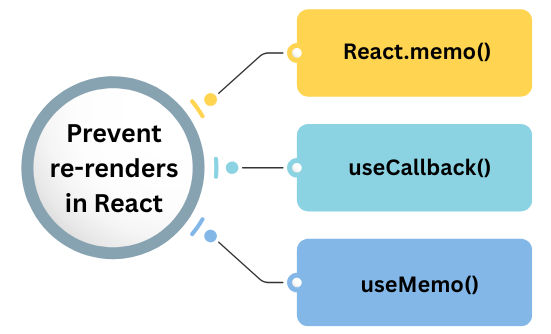
React.memo() is a higher-order component (HOC) that prevents unnecessary re-renders by memoizing the component’s output.
It only re-renders the component if its props actually change.
Syntax
const MemoizedComponent = React.memo(MyComponent);
Example
import React from "react";

const Child = React.memo(({ value }) => {
  console.log("Child rendered");
  return <p>Value: {value}</p>;
});

export default function Parent() {
  const [count, setCount] = React.useState(0);

  return (
    <div>
      <button onClick={() => setCount(count + 1)}>Increase</button>
      <Child value="Static Text" />
    </div>
  );
}
What happens here:
Child component will not re-render when count changesvalue changesUse React.memo() when:
In React, when you define functions inside components, they are recreated on every render.
Passing such functions as props causes child components to re-render — even if logic hasn’t changed.
useCallback() prevents this by memoizing the function reference.
Example
import React, { useState, useCallback } from "react";
import Child from "./Child";

function Parent() {
  const [count, setCount] = useState(0);

  const handleClick = useCallback(() => {
    console.log("Clicked!");
  }, []); // Function reference stays the same

  return (
    <div>
      <h2>Count: {count}</h2>
      <button onClick={() => setCount(count + 1)}>Increment</button>
      <Child onClick={handleClick} />
    </div>
  );
}

export default Parent;
The child component will not re-render unnecessarily because handleClick is memoized.
Sometimes, a component runs heavy calculations or computes derived data on every render.
useMemo() helps by caching the result until the dependencies change.
Example
import React, { useMemo, useState } from "react";

function ExpensiveCalculation({ number }) {
  const result = useMemo(() => {
    console.log("Calculating...");
    return number * 10; // Simulating heavy logic
  }, [number]);

  return <p>Result: {result}</p>;
}

export default ExpensiveCalculation;
useMemo() ensures the calculation runs only when number changes, not on every render.
