
Author
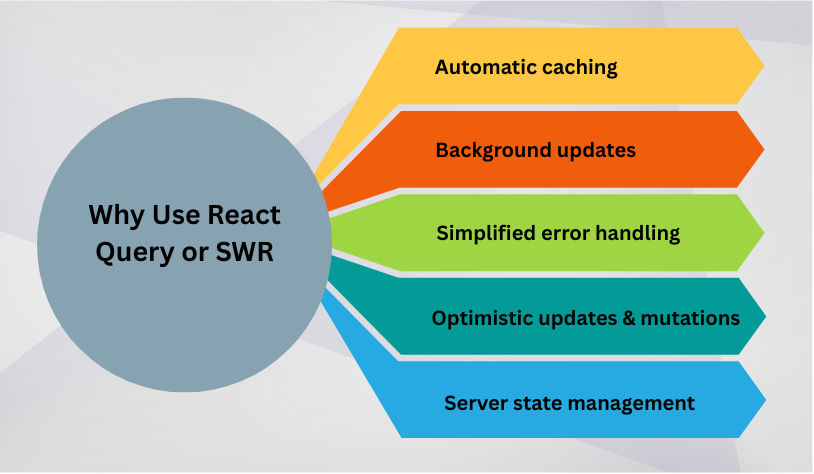
Fetching data in React apps can get complex — especially when you need caching, background updates, refetching, or mutations. Libraries like React Query and SWR simplify data fetching, making your components faster, more responsive, and easier to maintain.
Both libraries handle remote data management, caching, and state updates, allowing you to focus on building UI instead of managing network requests manually.
Installation:
npm install @tanstack/react-query
Setup: Wrap your app with QueryClientProvider:
import React from "react";
import { QueryClient, QueryClientProvider } from "@tanstack/react-query";
import UsersList from "./UsersList";

const queryClient = new QueryClient();

function App() {
  return (
    <QueryClientProvider client={queryClient}>
      <UsersList />
    </QueryClientProvider>
  );
}

export default App;
Fetching Data with useQuery:
import React from "react";
import { useQuery } from "@tanstack/react-query";

async function fetchUsers() {
  const response = await fetch("<https://jsonplaceholder.typicode.com/users>");
  if (!response.ok) throw new Error("Network Error");
  return response.json();
}

function UsersList() {
  const { data, isLoading, error } = useQuery(["users"], fetchUsers);

  if (isLoading) return <p>Loading users...</p>;
  if (error) return <p>Error: {error.message}</p>;

  return (
    <ul>
      {data.map(user => (
        <li key={user.id}>{user.name}</li>
      ))}
    </ul>
  );
}

export default UsersList;
How it works:
useQuery fetches data and caches it automatically.isLoading and error help manage UI states.["users"] key uniquely identifies the cached query.React Query also handles mutations to update or post data:
import { useMutation, useQueryClient } from "@tanstack/react-query";

function AddUser() {
  const queryClient = useQueryClient();

  const mutation = useMutation(
    (newUser) => fetch("<https://jsonplaceholder.typicode.com/users>", {
      method: "POST",
      body: JSON.stringify(newUser),
      headers: { "Content-Type": "application/json" }
    }),
    {
      onSuccess: () => queryClient.invalidateQueries(["users"])
    }
  );

  return (
    <buttononClick={() => mutation.mutate({ name: "New User" })}
    >
      Add User
    </button>
  );
}
invalidateQueries ensures cached data updates automatically after a mutation.SWR is another popular library by Vercel, focusing on stale-while-revalidate caching:
Installation:
npm install swr
Usage:
import useSWR from "swr";

const fetcher = (url) => fetch(url).then(res => res.json());

function UsersList() {
  const { data, error } = useSWR("<https://jsonplaceholder.typicode.com/users>", fetcher);

  if (!data) return <p>Loading users...</p>;
  if (error) return <p>Error: {error.message}</p>;

  return (
    <ul>
      {data.map(user => (
        <li key={user.id}>{user.name}</li>
      ))}
    </ul>
  );
}

export default UsersList;
