
Author
java.io.File)The java.io.File class is used to work with files and directories (folders).
It is used for:
Below are the most important File class methods grouped for easy learning.
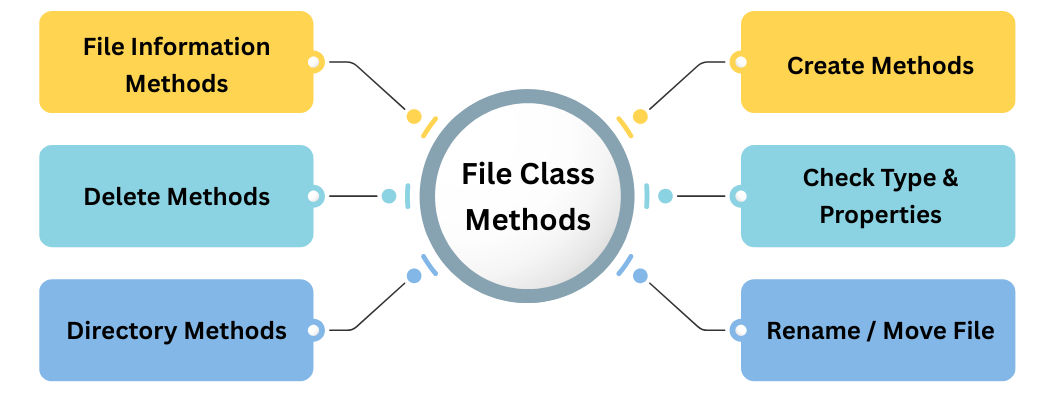
exists()
Checks whether the file or directory physically exists on the disk. Returns true if present, otherwise false.
file.exists();
getName()
Returns only the name of the file or directory (without path).
file.getName();
getPath()
Returns the path exactly as given in the File constructor (may be relative or absolute).
file.getPath();
getAbsolutePath()
Returns the complete absolute path of the file/directory from the root of the file system.
file.getAbsolutePath();
length()
file.length();
lastModified()
Returns the last modified timestamp of the file in milliseconds (epoch time).
createNewFile()
file.createNewFile();
mkdir()
file.mkdir();
mkdirs()
file.mkdirs();
delete()
file.delete();
deleteOnExit()
Schedules the file for deletion when the JVM terminates. Useful for temporary files.
file.deleteOnExit();
isFile()
Returns true if the File object represents a regular file (not a directory).
file.isFile();
isDirectory()
Returns true if the File object represents a directory/folder.
file.isDirectory();
canRead()
Checks if the file/directory has read permission.
canWrite()
Checks if the file/directory has write permission.
canExecute()
Checks if the file/directory can be executed (mainly for programs/scripts).
isHidden()
Returns true if the file is hidden by the operating system.
list()
Returns an array of String names of all files and folders inside the directory.
String[] files = dir.list();
listFiles()
File[] files = dir.listFiles();
listFiles(FileFilter filter)
Returns only the files that satisfy a custom filter condition (e.g., only .txt files).
renameTo(File newFile)
file.renameTo(new File("newname.txt"));
import java.io.File;

public class FileMethodsDemo {
    public static void main(String[] args) {
        File file = new File("test.txt");

        System.out.println("Exists: " + file.exists());
        System.out.println("Name: " + file.getName());
        System.out.println("Absolute Path: " + file.getAbsolutePath());
        System.out.println("Is File: " + file.isFile());
        System.out.println("Is Directory: " + file.isDirectory());
        System.out.println("Size: " + file.length());
    }
}
If your chapter needs only the key ones:
exists()createNewFile()mkdir() / mkdirs()delete()isFile() / isDirectory()list() / listFiles()getName()getAbsolutePath()length()