
Author
Java collections have evolved significantly over time. Understanding the differences between legacy collections and modern collections is essential for writing efficient, maintainable, and high-performance Java applications.
This guide covers concepts, examples, differences, use-cases, advantages, and best practices, making it easy to learn and apply.
Legacy collections are the original collection classes introduced in Java 1.0 and 1.1, before the Java Collections Framework (JCF) was introduced in Java 2 (Java 1.2).
Examples:
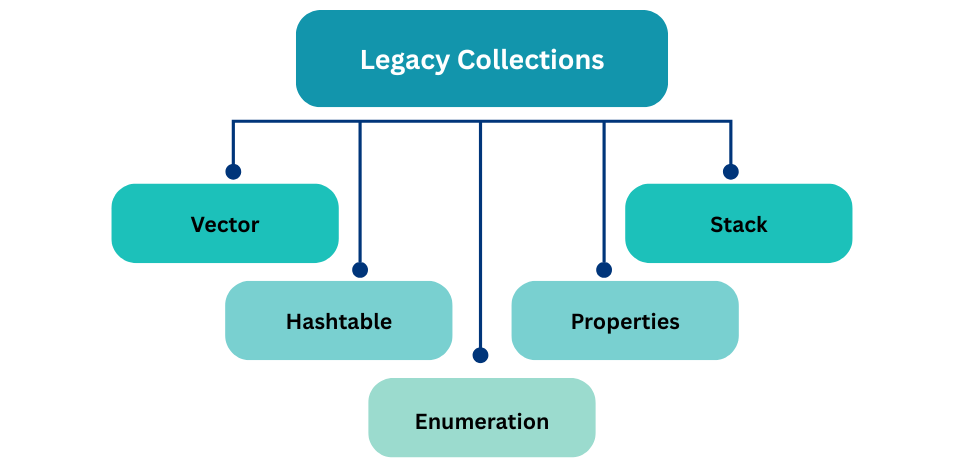
Vector – dynamic arrayStack – last-in-first-out stackHashtable – key-value pairsProperties – key-value configurationEnumeration – interface to traverse elementsKey Characteristics:
Example – Vector and Enumeration:
import java.util.*;

public class LegacyExample {
    public static void main(String[] args) {
        Vector<String> vector = new Vector<>();
        vector.add("Java");
        vector.add("Python");
        vector.add("C++");

        Enumeration<String> enumeration = vector.elements();
        while (enumeration.hasMoreElements()) {
            System.out.println(enumeration.nextElement());
        }
    }
}
Output:
Java
Python
C++
Legacy collections often require extra boilerplate code and are slower due to default synchronization.
Modern collections were introduced as part of the Java Collections Framework (JCF) in Java 2 (1.2+). They provide a unified architecture, better performance, and generics support for type safety.
Examples:
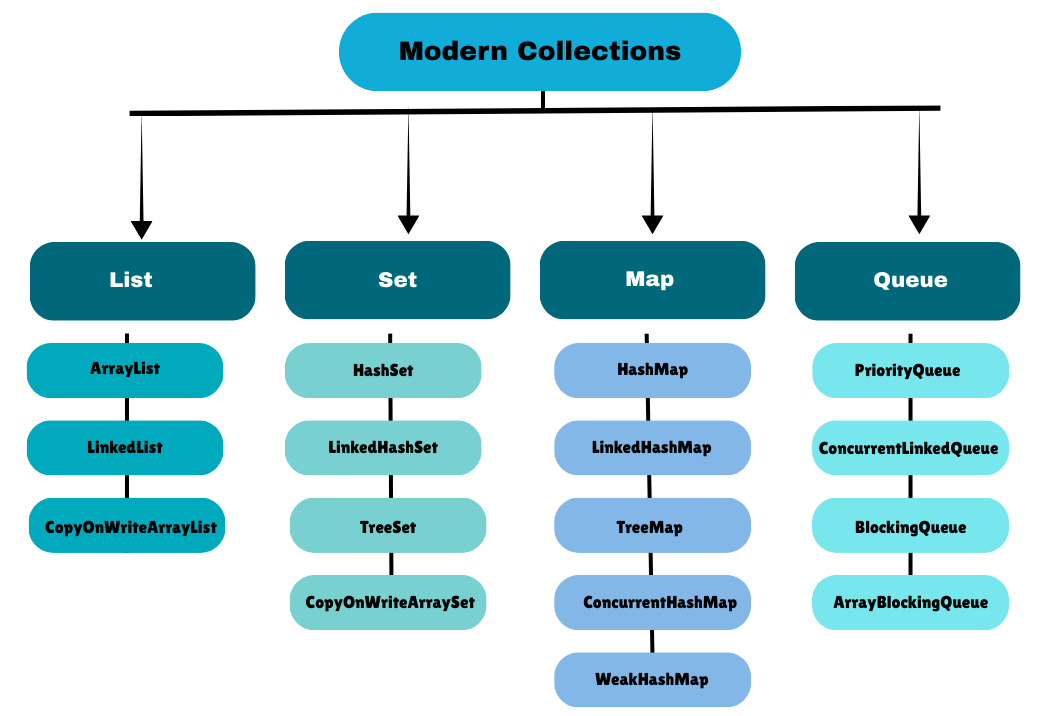
ArrayList, LinkedList, CopyOnWriteArrayListHashSet, LinkedHashSet, TreeSet, CopyOnWriteArraySetHashMap, LinkedHashMap, TreeMap, ConcurrentHashMap, WeakHashMapPriorityQueue, ConcurrentLinkedQueue, BlockingQueue, ArrayBlockingQueueCollections.synchronizedXXX or concurrent classesIterator, for-each loop, and Streams APIExample – ArrayList with Generics:
import java.util.*;

public class ModernExample {
    public static void main(String[] args) {
        List<String> languages = new ArrayList<>();
        languages.add("Java");
        languages.add("Python");
        languages.add("C++");

        for (String lang : languages) {
            System.out.println(lang);
        }
    }
}
Output:
Java
Python
C++
| Feature | Legacy Collections | Modern Collections |
|---|---|---|
| Introduced | Java 1.0 – 1.1 | Java 2 (1.2+) |
| Examples | Vector, Stack, Hashtable, Enumeration | ArrayList, LinkedList, HashMap, HashSet |
| Generics Support | No | Yes (from Java 5) |
| Synchronization | Synchronized by default | Not synchronized by default (can use concurrent classes) |
| Performance | Slower (default locks) | Faster |
| Iteration | Enumeration | Iterator, for-each loop, Stream API |
| API Flexibility | Limited | Rich and unified API |
| Null Support | Hashtable does not allow null keys or values | HashMap allows null keys and values |
| Advanced Features | None | Concurrency utilities, Streams, Lambda support |
ConcurrentHashMap existVector vs ArrayList
// Legacy
Vector<String> vector = new Vector<>();
vector.add("A");
vector.add("B");

// Modern
List<String> arrayList = new ArrayList<>();
arrayList.add("A");
arrayList.add("B");
—> Vector is synchronized (slower), ArrayList is faster; prefer ArrayList in modern code.
Stack vs Deque
// Legacy
Stack<Integer> stack = new Stack<>();
stack.push(1);
stack.push(2);

// Modern
Deque<Integer> deque = new ArrayDeque<>();
deque.push(1);
deque.push(2);
—> Deque is more flexible and efficient; recommended over Stack.
// Legacy
Hashtable<Integer, String> table = new Hashtable<>();
table.put(1, "One");

// Modern
Map<Integer, String> map = new HashMap<>();
map.put(1, "One");
—> HashMap supports null keys/values and is faster; Hashtable is synchronized but slower.
