
Author
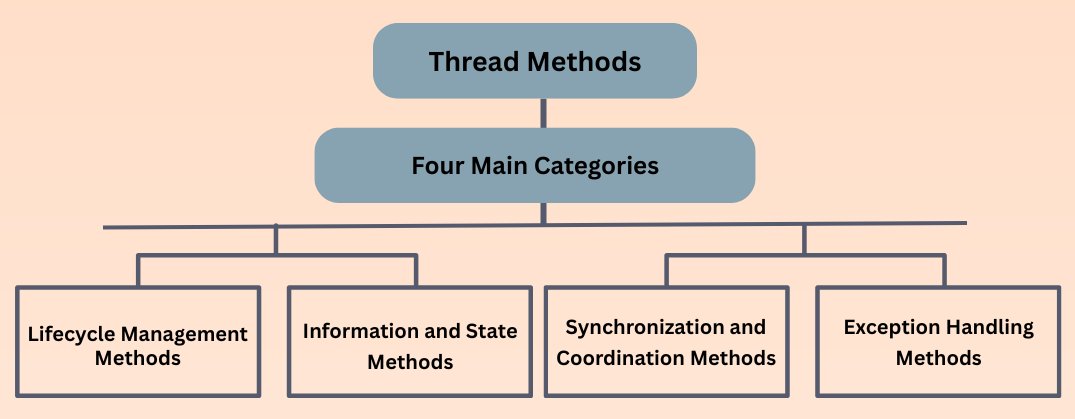
Java provides several useful methods in the Thread class to control and manage threads.
These methods can be categorized for clarity.
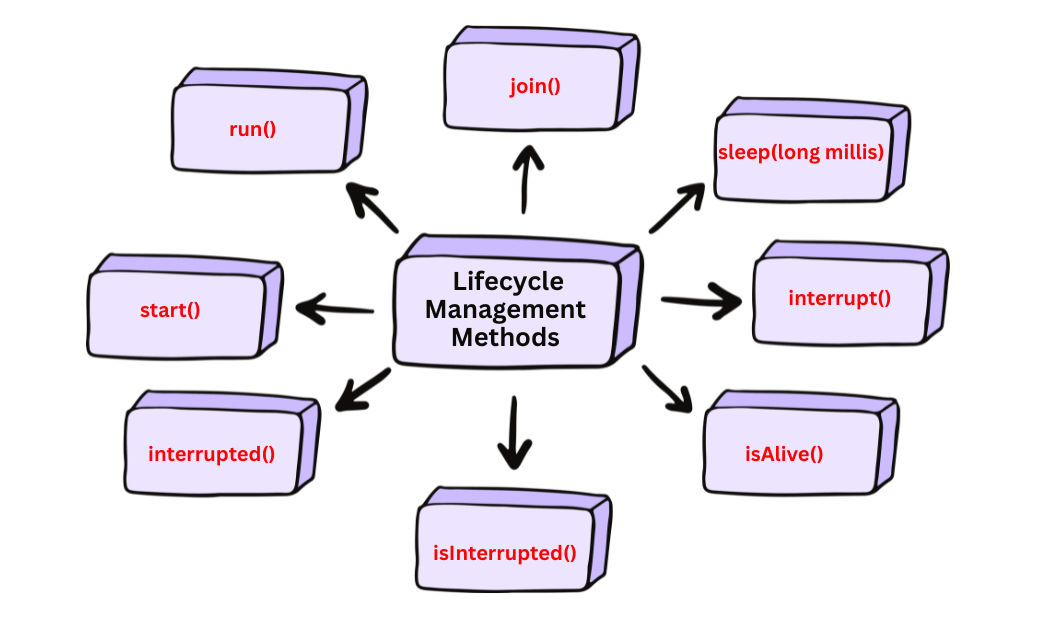
These methods control the lifecycle of a thread—from starting, pausing, waiting, interrupting, and checking its status.
start()
Begins execution of a new thread.
run() method.Example:
Thread t = new Thread(() -> System.out.println("Thread running..."));
t.start();
run()
Contains the actual code that the thread executes.
Thread or implementing Runnable.start().run() directly → acts as a normal method call in the current thread.Example:
public void run() {
    System.out.println("Running task...");
}
join()
Makes the current thread wait until another thread finishes execution.
join(long millis)join(long millis, int nanos)Example:
t.join();       // wait until t completes
t.join(2000);   // wait max 2 seconds
sleep(long millis)
Pauses the currently executing thread for a specific duration.
Example:
Thread.sleep(1000); // sleep for 1 second
interrupt()
Sends an interrupt signal to a thread.
sleep(), wait(), join() → throws InterruptedException.Used for graceful termination.
Example:
t.interrupt();
isAlive()
Checks whether a thread is still executing.
true → thread is running or waiting.false → thread has finished.Example:
if (t.isAlive()) {
    System.out.println("Thread is still working.");
}
interrupted() (static)
Checks whether the current thread has been interrupted.
true if interrupted.Useful in long-running loops.
Example:
if (Thread.interrupted()) {
    System.out.println("Current thread interrupted");
}
isInterrupted()
Checks whether a specific thread has been interrupted.
Example:
if (t.isInterrupted()) {
    System.out.println("Thread was interrupted");
}
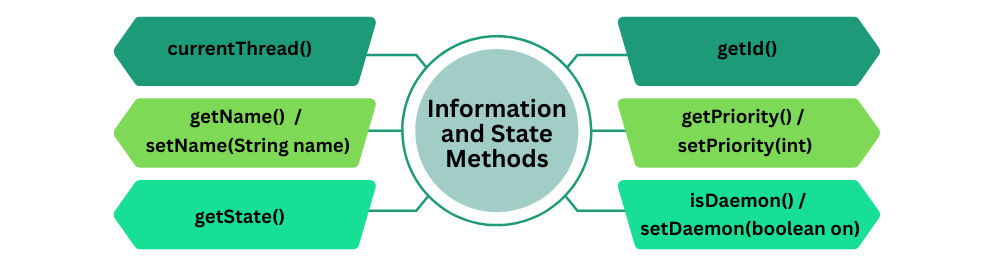
These methods help you inspect, identify, and monitor threads during execution.
currentThread()
Thread class.Example:
Thread t = Thread.currentThread();
System.out.println("Current thread: " + t.getName());
getId()
Example:
Thread t = new Thread(() -> {
    System.out.println("Thread Name: " + Thread.currentThread().getName());
    System.out.println("Thread ID: " + Thread.currentThread().getId());
});
t.setName("Worker-1");
t.start();
getName() / setName(String name)
Example:
Thread t = new Thread();
t.setName("Worker-Thread");
System.out.println(t.getName());
getPriority() / setPriority(int)
NORM_PRIORITY (5).Example:
Thread t = new Thread();
t.setPriority(Thread.MAX_PRIORITY);
System.out.println(t.getPriority());
getState()
Thread.State enum:
Example:
Thread t = new Thread();
System.out.println(t.getState()); // NEW
t.start();
System.out.println(t.getState()); // RUNNABLE
isDaemon() / setDaemon(boolean on)
Example:
Thread t = new Thread(() -> System.out.println("Daemon running"));
t.setDaemon(true);
System.out.println(t.isDaemon());
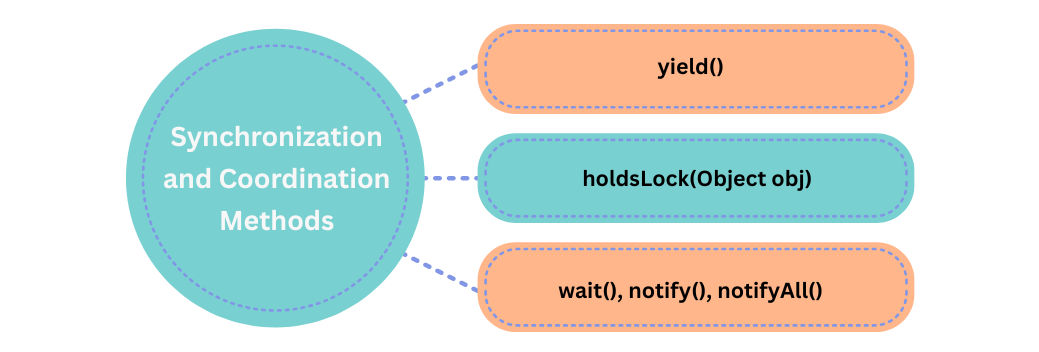
These methods help threads coordinate, manage locks, and control shared resources safely.
yield()
Example:
Thread.yield(); // Suggest scheduler to switch thread
holdsLock(Object obj)
true → current thread owns the lockfalse → current thread does not own the lockExample:
Object lock = new Object();

synchronized (lock) {
    System.out.println(Thread.holdsLock(lock)); // true
}
wait(), notify(), notifyAll()
(Belong to Object class, not Thread — but used with synchronized code)
wait()
notify() or notifyAll()notify()
notifyAll()
Example:
Object lock = new Object();

Thread t = new Thread(() -> {
    synchronized (lock) {
        try {
            System.out.println("Waiting...");
            lock.wait();
            System.out.println("Notified!");
        } catch (InterruptedException e) { }
    }
});

t.start();

Thread.sleep(1000);

synchronized (lock) {
    lock.notify(); // Wake one waiting thread
}
These methods help you handle uncaught exceptions thrown inside threads.
Useful for logging, error tracking, and gracefully recovering from thread failures.
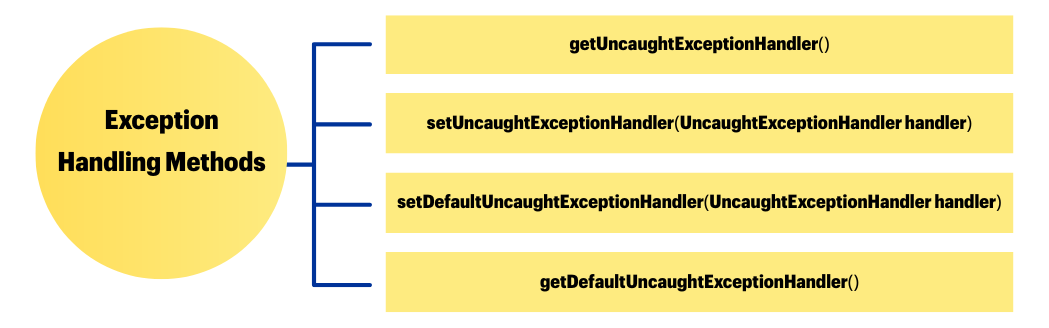
getUncaughtExceptionHandler()
Example:
Thread.UncaughtExceptionHandler handler = t.getUncaughtExceptionHandler();
System.out.println(handler);
setUncaughtExceptionHandler(UncaughtExceptionHandler handler)
Example:
Thread t = new Thread(() -> {
    throw new RuntimeException("Something went wrong");
});

t.setUncaughtExceptionHandler((th, ex) -> {
    System.out.println("Error in thread: " + th.getName());
    System.out.println("Exception: " + ex.getMessage());
});

t.start();
setDefaultUncaughtExceptionHandler(UncaughtExceptionHandler handler) (static method)
Example:
Thread.setDefaultUncaughtExceptionHandler((th, ex) -> {
    System.out.println("Default handler caught: " + ex.getMessage());
});
getDefaultUncaughtExceptionHandler() (static method)
Returns the global default handler, if any.
Example:
System.out.println(Thread.getDefaultUncaughtExceptionHandler());
These methods are part of the Thread class but are deprecated because they are unsafe, can cause deadlocks, data corruption, or inconsistent thread states.
They should never be used in modern Java applications.
stop() — Deprecated, Unsafe
Why unsafe?
Because it stops a thread immediately without giving it a chance to release locks or clean up.
Example (for understanding only — DO NOT USE):
Thread t = new Thread(() -> {
    while (true) {
        System.out.println("Running...");
    }
});

// Deprecated – NOT recommended
// t.stop();
suspend() — Deprecated, Unsafe
Example (for learning only):
Thread t = new Thread(() -> {
    synchronized (this) {
        System.out.println("Working...");
    }
});

// t.suspend();  // Deprecated – may cause deadlock
resume() — Deprecated, Unsafe
suspend(), it becomes highly error-prone.// t.resume(); // Deprecated – unsafe combo with suspend()
destroy() — Deprecated, Never Implemented
// t.destroy(); // Deprecated and unsupported
| Feature | run() |
start() |
|---|---|---|
| Purpose | Contains the code that defines the thread’s task | Creates a new thread and calls run() internally |
| Thread Creation | Does not create a new thread | Creates a new thread of execution |
| Execution Context | Executes in the current thread (caller thread) | Executes in a new thread managed by JVM |
| Thread Scheduler | Not involved; runs sequentially in the current thread | Thread scheduler decides when the new thread runs |
| Concurrency | No concurrency; code runs like a normal method | Enables concurrent execution with other threads |
| Common Use | Rarely called directly; mainly overridden in a thread class | Always called to start a new thread |
Example:
class MyThread extends Thread {
    @Override
    public void run() {
        System.out.println("Thread running...");
    }
}

public class Main {
    public static void main(String[] args) {
        MyThread t = new MyThread();

        t.run();   // Executes in main thread, not a new thread
        t.start(); // Creates a new thread and runs concurrently
    }
}
