
Author
Vector is a legacy class in Java that provides a dynamic array similar to ArrayList, but with built-in synchronization.
It is part of the java.util package and was introduced in JDK 1.0.
A Vector is a dynamic, growable array in Java that stores elements and automatically increases its size.
It is similar to ArrayList but thread-safe because all methods are synchronized.
Iterable
   └── Collection
          └── List
                └── Vector
Vector implements: List, RandomAccess, Cloneable, Serializable
Vector is slower due to synchronization and was replaced by modern classes like ArrayList, but it still exists for backward compatibility.
Vector<String> vector = new Vector<>();
vector.add("Java");
vector.add("Python");
vector.add("C++");
System.out.println(vector);
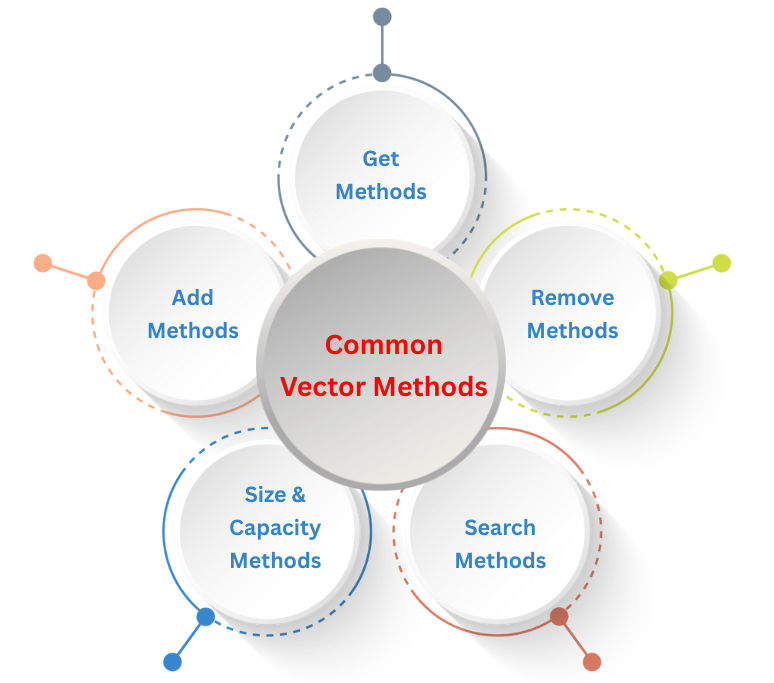
add(E e)
Adds an element to the end of the vector.
vector.add("PHP");
add(int index, E element)
Inserts an element at the specified position.
vector.add(1, "HTML");
addElement(E obj)
Legacy method; works same as add().
vector.addElement("Ruby");
get(int index)
Returns the element at the given index.
vector.get(1);
firstElement() / lastElement()
Returns the first or last element of the vector.
vector.firstElement();
vector.lastElement();
remove(int index)
Removes the element at a specific index.
vector.remove(0);
removeElement(Object obj)
Legacy method to remove an element.
vector.removeElement("Java");
clear()
Removes all elements.
vector.clear();
contains(Object o)
Checks if the vector contains the given element.
vector.contains("Java");
indexOf(Object o)
Returns the first index of the element.
vector.indexOf("Python");
size()
Returns the number of elements.
vector.size();
capacity()
Returns the internal capacity of the vector.
vector.capacity();
Vector starts with a default capacity of 10 and doubles its size automatically when full.
You can also set custom initial capacity or increment size manually.
Vector<Integer> vector = new Vector<>(5, 2);
| Operation | Time Complexity | Notes |
|---|---|---|
| Access by index | O(1) | Direct index lookup |
| Insert at end | O(1) amortized | May resize vector |
| Insert at index | O(n) | Elements shift |
| Remove at index | O(n) | Shifts required |
| Search | O(n) | Linear search |
| Feature | Vector | ArrayList |
|---|---|---|
| Thread-safe | Yes | No |
| Speed | Slow | Fast |
| Legacy | Yes | No |
| Growth | Doubles (×2) | 1.5× |
| Use Case | Multithreading | Normal use |
Vector is still used in:
