
Author
In Java, every thread has a priority, which serves as a hint to the Thread Scheduler about the order in which threads should execute.
Threads with higher priority are generally given preference over lower-priority threads. However, priority does not guarantee exact execution order, as thread scheduling depends on the JVM, OS, and hardware.
Thread priority is an integer value from 1 to 10 that indicates the importance of a thread.
By default, a thread inherits the priority of the thread that created it.
Usually, this is:
Thread.NORM_PRIORITY// value = 5
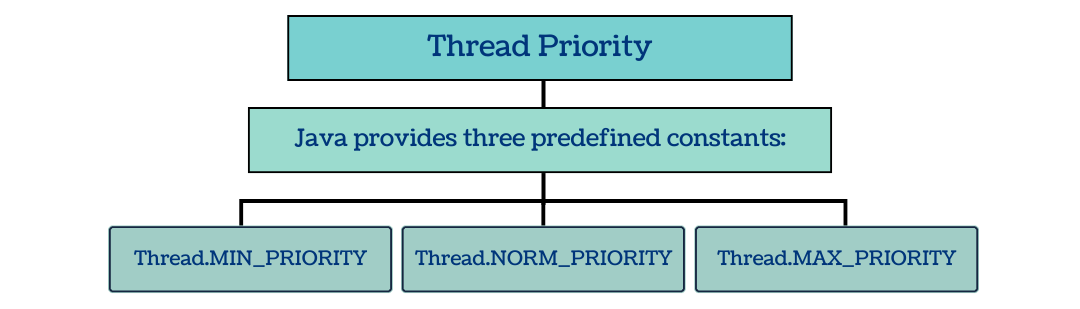
| Constant | Value | Meaning |
|---|---|---|
Thread.MIN_PRIORITY |
1 | Lowest priority |
Thread.NORM_PRIORITY |
5 | Normal/default priority |
Thread.MAX_PRIORITY |
10 | Highest priority |
Thread priority helps the scheduler decide which thread should get more CPU time when multiple threads are waiting.
But scheduling is not guaranteed. The OS and JVM ultimately decide.
In Java, every thread has a priority, which is an integer value ranging from 1 to 10, indicating the relative importance of that thread. The thread scheduler uses this priority as a hint to decide which thread should run first.
The priority can be set, retrieved, or inherited from the parent thread.
You can set a thread’s priority using the setPriority(int p) method:
thread.setPriority(Thread.MAX_PRIORITY);// value 10
Explanation:
thread is the object of your thread.setPriority() takes an integer between 1 (lowest) and 10 (highest).Thread.MIN_PRIORITY → 1Thread.NORM_PRIORITY → 5 (default)Thread.MAX_PRIORITY → 10You can check the current priority of a thread using the getPriority() method:
intp= thread.getPriority();
System.out.println("Thread Priority: " + p);
Explanation:
getPriority() returns an integer representing the thread’s current priority.When you create a new thread, it inherits the priority of its parent thread.
For example, if the main thread has priority 5 (normal), any thread created by it will also start with priority 5 unless explicitly changed.
The main thread usually has Thread.NORM_PRIORITY (5).
Example:
Threadt1=newThread(() -> System.out.println("Running..."));
System.out.println(t1.getPriority());// Output: 5 (inherited from main thread)
If you want a thread to be executed more often or sooner than others, you can explicitly set its priority. But remember, it’s just a hint to the scheduler, not a guarantee.
classMyThreadextendsThread {

publicMyThread(String name) {
super(name);
    }

publicvoidrun() {
        System.out.println("Running: " + getName() +
" | Priority: " + getPriority());
    }
}

publicclassTestPriority {
publicstaticvoidmain(String[] args) {

MyThreadt1=newMyThread("Low Priority Thread");
MyThreadt2=newMyThread("Medium Priority Thread");
MyThreadt3=newMyThread("High Priority Thread");

        t1.setPriority(Thread.MIN_PRIORITY);// 1
        t2.setPriority(Thread.NORM_PRIORITY);// 5
        t3.setPriority(Thread.MAX_PRIORITY);// 10

        t1.start();
        t2.start();
        t3.start();
    }
}
Possible Output (varies by OS/JVM):
Running:HighPriorityThread|Priority:10
Running:MediumPriorityThread|Priority:5
Running:LowPriorityThread|Priority:1
Actual execution order may differ.
Imagine a hospital:
Doctors attend emergencies first, similar to how the CPU gives preference to higher-priority threads.
Do not rely on thread priority for precise scheduling; it is just a hint to the scheduler.
setPriority() to set and getPriority() to read thread priority