

Types of Arrays in Java
Arrays are one of the most important data structures in Java. They help store multiple values of the same type efficiently and provide easy access to elements using indices.
In Java, arrays can be classified into:
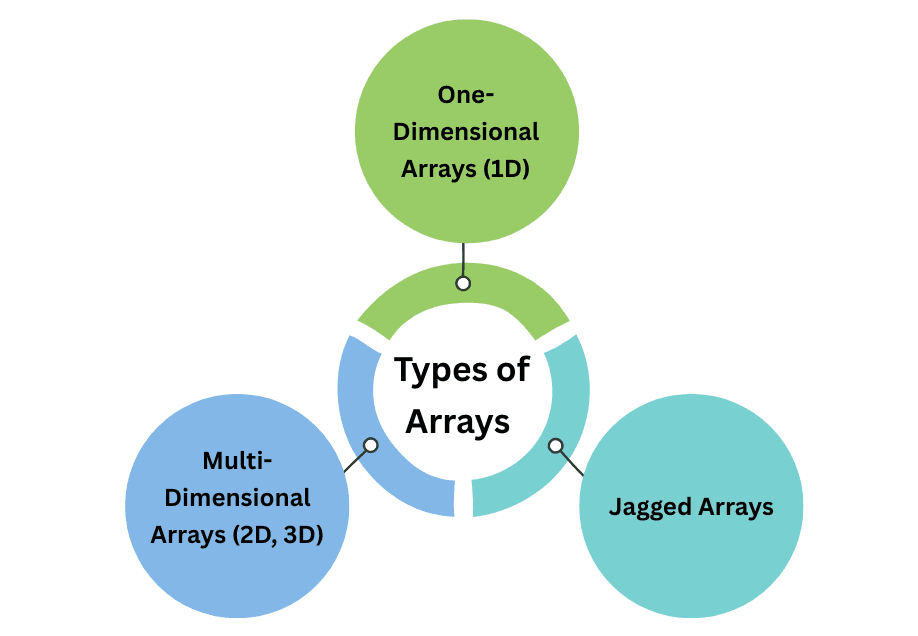
- One-Dimensional Arrays (1D)
- Multi-Dimensional Arrays (2D, 3D)
- Jagged Arrays (Arrays of arrays with different row sizes)
1. One-Dimensional Arrays (1D Arrays)
A 1D array is a linear collection of elements. It’s like a list where each element is accessed by an index starting from 0.
Declaration
int[] numbers; // Preferred way
int numbers2[]; // Also valid
Initialization
numbers = new int[5]; // Array of size 5 (default values 0)
int[] scores = {90, 80, 70, 60, 50}; // Direct initialization
Example
public class OneDArrayDemo {
    public static void main(String[] args) {
        int[] arr = {10, 20, 30, 40, 50};

        for(int i = 0; i < arr.length; i++) {
            System.out.println("Element at index " + i + ": " + arr[i]);
        }
    }
}
Output:
Element at index 0: 10
Element at index 1: 20
Element at index 2: 30
Element at index 3: 40
Element at index 4: 50
Key Points About 1D Arrays:
- Store homogeneous data in a single variable.
- Size is fixed after creation.
- Access elements using indices starting from 0.
2. Multi-Dimensional Arrays
Multi-dimensional arrays store data in a matrix or grid format.
2D Arrays (Two-Dimensional)
- Think of it as a table with rows and columns.
- Each element is accessed using two indices:
[row][column].
int[][] matrix = {
    {1, 2, 3},
    {4, 5, 6},
    {7, 8, 9}
};

System.out.println(matrix[1][2]); // 6 (second row, third column)
Iterating a 2D Array
for(int i = 0; i < matrix.length; i++) {
    for(int j = 0; j < matrix[i].length; j++) {
        System.out.print(matrix[i][j] + " ");
    }
    System.out.println();
}
Output:
1 2 3
4 5 6
7 8 9
3D Arrays (Three-Dimensional)
- A 3D array represents a cube or multiple layers of data.
- Access elements using three indices:
[layer][row][column].
int[][][] cube = {
    { {1, 2}, {3, 4} },
    { {5, 6}, {7, 8} }
};

System.out.println(cube[1][0][1]); // 6
Here, cube[1] is the second layer, cube[1][0] is the first row of that layer, and cube[1][0][1] is the second element.
3. Jagged Arrays
- A jagged array is an array of arrays where each row can have different lengths.
- Useful when each sub-array needs a different number of elements.
Example
int[][] jagged = new int[3][];
jagged[0] = new int[] {1, 2};
jagged[1] = new int[] {3, 4, 5};
jagged[2] = new int[] {6};

for(int i = 0; i < jagged.length; i++) {
    for(int j = 0; j < jagged[i].length; j++) {
        System.out.print(jagged[i][j] + " ");
    }
    System.out.println();
}
Output:
1 2
3 4 5
6
- Jagged arrays are not rectangular. Each row can have a different number of columns.
Points to Remember
- 1D Arrays: Linear list of elements, accessed with a single index.
- 2D Arrays: Rectangular matrix (rows × columns), accessed with
[row][column]. - 3D Arrays: Cube of data with layers, rows, and columns, accessed with
[layer][row][column]. - Jagged Arrays: Each row can have a different number of elements, giving flexibility.
- Array size is fixed after creation; for dynamic collections, use
ArrayList. - Accessing an invalid index throws
ArrayIndexOutOfBoundsException. - Use loops (for, enhanced for) for iteration; nested loops for multi-dimensional arrays.