
Author
HashMap is one of the most widely used classes in the Java Collections Framework.
It stores key–value pairs and provides constant-time (O(1)) performance for most operations using hashing.
A HashMap is a data structure that:
Package:
import java.util.HashMap;
Iterable (Not parent)
   └── Collection (Not parent)
Map (Main Map Interface)
   └── HashMap
HashMap implements:
Internal Data Structure:
Index    Bucket
---------------------------------
0     →   null
1     →   [10=Apple] → [20=Orange]
2     →   null
3     →   [30=Banana]
4     →   null
Each element is stored as a Node<K,V> inside a bucket.
If collision occurs:
When you do:
map.put(40, "Mango");
Step 1: Compute hash
hash = key.hashCode()
Step 2: Find bucket index
index = hash % arrayLength
Step 3: Insert the entry
Step 4: Collision? Add to LinkedList
Step 5: Chain > 8 → Convert to Red-Black Tree
Step 6: Size > threshold → Rehash (resize)
Result:
Fast lookup, worst case O(log n) instead of O(n)
HashMap<String, Integer> map = new HashMap<>();
HashMap<String, Integer> map = new HashMap<>(50);
HashMap<String, Integer> map = new HashMap<>(32, 0.75f);
HashMap<String, Integer> map = new HashMap<>(existingMap);
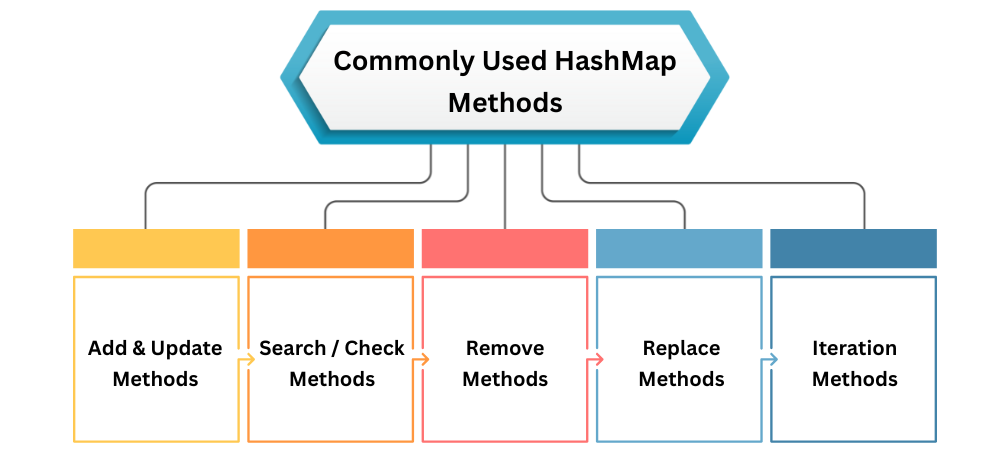
put(K key, V value)
Adds a key–value pair. If key exists, replaces value.
map.put("Java", 1);
map.put("Python", 2);
map.put("Java", 3);
putIfAbsent(K key, V value)
Adds only if key is not present.
map.putIfAbsent("C++", 4);
putAll(Map m)
Copies all entries from another map.
map.putAll(otherMap);
get(Object key)
Returns the value associated with the key.
map.get("Java");
containsKey(key)
Checks if key exists.
map.containsKey("Python");
containsValue(value)
Checks if value exists.
map.containsValue(2);
size()
Returns total number of key–value pairs.
map.size();
isEmpty()
Checks if the map has no entries.
map.isEmpty();
remove(Object key)
Removes the entry by key.
map.remove("Python");
remove(key, value)
Removes only if both key and value match.
map.remove("Java", 3);
clear()
Removes all entries from the map.
map.clear();
replace(key, newValue)
Updates the value of a key.
map.replace("Java", 10);
replace(key, oldValue, newValue)
Replaces only if old value matches.
map.replace("Java", 3, 10);
keySet()
Returns all keys.
for (String key : map.keySet()) {
    System.out.println(key);
}
values()
Returns all values.
for (Integer value : map.values()) {
    System.out.println(value);
}
entrySet()
Best way to iterate → returns key + value pairs.
for (Map.Entry<String, Integer> e : map.entrySet()) {
    System.out.println(e.getKey() + " : " + e.getValue());
}
getOrDefault(key, defaultValue)
Returns value or default if key missing.
map.getOrDefault("Ruby", -1);
compute(key, function)
Updates value using a function.
map.compute("Java", (k, v) -> v + 1);
merge(key, value, function)
Adds or updates a value with a merging function.
map.merge("Java", 1, Integer::sum);
| Operation | Average | Worst Case |
|---|---|---|
| put() | O(1) | O(log n) |
| get() | O(1) | O(log n) |
| remove() | O(1) | O(log n) |
| containsKey() | O(1) | O(log n) |
| iteration | O(n) | O(n) |
Worst case occurs when all keys land in same bucket.
Load Factor: decides when to resize
Default = 0.75
Threshold = capacity × loadFactor
Example:
When entries > 12 → resize to 32
Resizing (Rehashing) is expensive.
HashMap uses:
String[] words = {"a","b","a","c","b","a"};
HashMap<String, Integer> freq = new HashMap<>();

for (String w : words) {
    freq.put(w, freq.getOrDefault(w, 0) + 1);
}

System.out.println(freq);
Output:
{a=3, b=2, c=1}
import java.util.HashMap;

public class Main {
    public static void main(String[] args) {

        HashMap<Integer, String> map = new HashMap<>();

        map.put(101, "Java");
        map.put(102, "Python");
        map.put(103, "C++");

        for (var e : map.entrySet()) {
            System.out.println(e.getKey() + " = " + e.getValue());
        }
    }
}
Output:
101 = Java
102 = Python
103 = C++
