File Handling
File handling in Java refers to the process of creating, reading, writing, updating, and deleting files or directories using the Java API. It enables applications to store data permanently on the file system instead of only in memory.
What Is File Handling in Java?
File handling is the mechanism that lets Java programs work with files on disk — reading data from them, writing data to them, and managing file operations like create, delete, copy, or move.
It allows applications to work with real-world external data stored in:
- Text files
- Binary files
- Images
- Documents
- Logs
- Serialized objects
Java provides powerful and platform-independent APIs to perform all these operations safely and efficiently.
Why Is File Handling Needed?
You need file handling when you want to:
- Store data permanently
- Read/write configuration files
- Process large files (CSV, logs, reports)
- Save program output
- Generate logs
- Load data from external sources
- Transfer files between systems
Without file handling → all data is lost when the program ends.
Types of File Handling in Java
Java supports file handling using multiple approaches, grouped into:
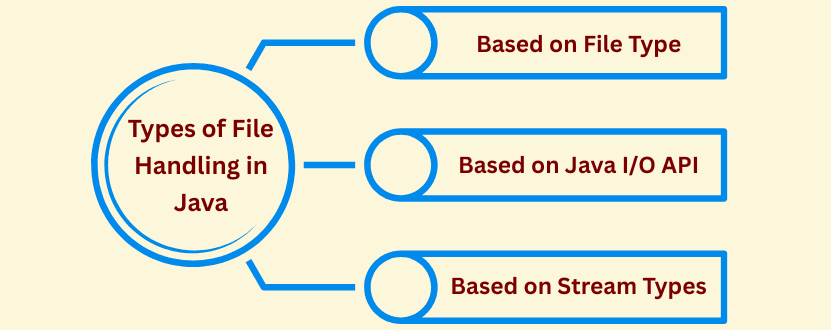
- File Types
- I/O APIs
- Stream Types
This is the complete structured list.
1. Based on File Type
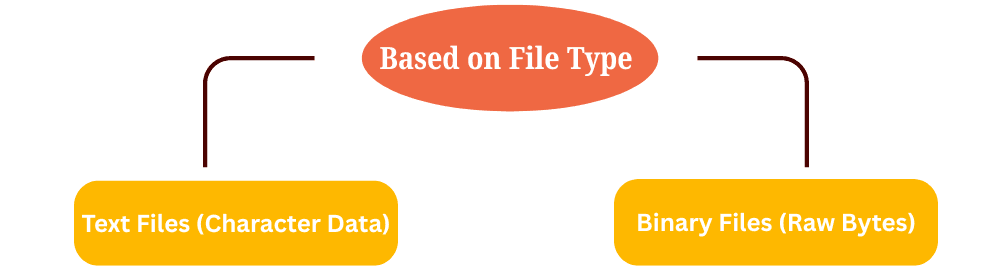
a) Text Files (Character Data)
- Human-readable characters
- Examples:
.txt, .csv, .json, .xml
- Handled using character streams
Classes Used:
- FileReader
- BufferedReader
- FileWriter
- BufferedWriter
b) Binary Files (Raw Bytes)
- Stores raw binary data
- Examples:
.jpg, .pdf, .mp4, .zip, .docx
- Handled using byte streams
Classes Used:
- FileInputStream
- FileOutputStream
- BufferedInputStream
- BufferedOutputStream
- FileChannel
2. Based on Java I/O API
a) Traditional I/O (java.io Package)
Older, stream-based, simpler API.
Used for:
- Text file reading/writing
- Binary file processing
- Buffered I/O
- Serialization (Object Streams)
Key Classes:
- File
- FileReader / FileWriter
- BufferedReader / BufferedWriter
- FileInputStream / FileOutputStream
- ObjectInputStream / ObjectOutputStream
b) NIO & NIO.2 (java.nio, java.nio.file)
Modern, faster, non-blocking I/O (Java 7+).
Used for:
- High-performance I/O
- Working with paths
- Copy, move, delete operations
- Channels & buffers
- Reading all lines/files easily
Key Classes:
- Path
- Paths
- Files
- FileChannel
- ByteBuffer
3. Based on Stream Types
These streams define how data is read/written.
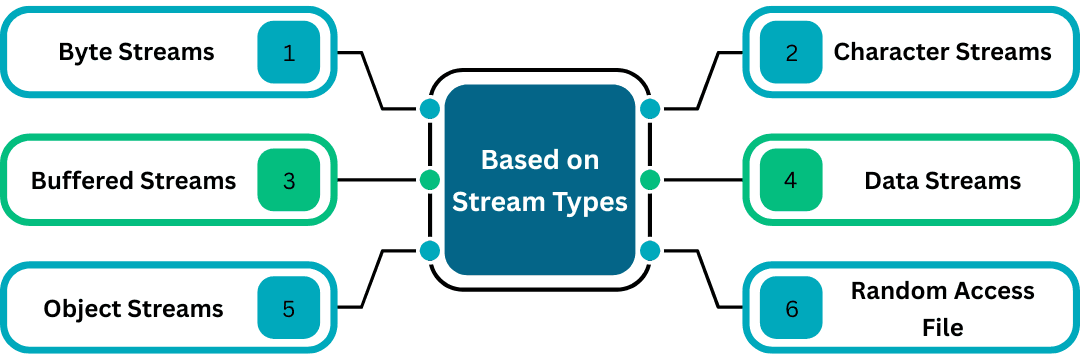
a) Byte Streams
Used to process binary data (8-bit bytes).
Examples:
- FileInputStream
- FileOutputStream
Used When:
- Working with images, PDFs, videos, ZIP files
b) Character Streams
Used to process text data (16-bit Unicode).
Examples:
Used When:
- Reading/writing
.txt, .csv, .json, .xml
c) Buffered Streams
Improve performance using internal buffers.
Examples:
- BufferedReader
- BufferedWriter
- BufferedInputStream
- BufferedOutputStream
Used When:
- Reading/writing large files efficiently
d) Data Streams
Used to read/write primitive data types.
Examples:
- DataInputStream
- DataOutputStream
Used When:
- Working with structured binary formats
- Writing int, long, double, boolean
e) Object Streams
Used for Serialization & Deserialization (object to bytes, bytes to object).
Examples:
- ObjectInputStream
- ObjectOutputStream
Used When:
- Saving entire objects
- Sending objects over network
f) Random Access File
Allows reading/writing from any position in a file.
Example:
Used When:
- Editing part of a file
- Updating large files without loading entire file
- File-based databases