
Author
A LinkedHashMap is a special version of HashMap that maintains insertion order or access order of elements.
It is part of the java.util package and is widely used when you need both:
A LinkedHashMap is a combination of HashMap + Doubly LinkedList that:
Use case: If you need ordering + speed, LinkedHashMap is ideal.
LinkedHashMap = Hash Table (buckets) + Doubly LinkedList (ordering)
Head → [A=10] ⇄ [B=20] ⇄ [C=30] → Tail
Hash Table Buckets:
0 → null
1 → [A=10]
2 → [B=20] → [E=50]
3 → [C=30]
4 → null
Each node contains:
[key | value | hash | next (bucket) | before | after]
before and after pointers maintain order.
Iterable
   └── Collection
          └── Map
                └── HashMap
                      └── LinkedHashMap
Implements:
Underlying Data Structure:
| Requirement | Use LinkedHashMap? |
|---|---|
| Maintain insertion order | Yes |
| Maintain access order | Yes |
| Fast lookup | Yes |
| Sorted data | No (use TreeMap) |
| Thread-safety | No (use ConcurrentHashMap) |
1. Default LinkedHashMap (Insertion Order)
LinkedHashMap<Integer, String> map = new LinkedHashMap<>();
2. With Initial Capacity
LinkedHashMap<String, Integer> map = new LinkedHashMap<>(50);
3. With Capacity + Load Factor
LinkedHashMap<String, Integer> map = new LinkedHashMap<>(20, 0.75f);
4. Maintain Access Order (for LRU (Least Recently Used) Cache)
LinkedHashMap<Integer, String> map = new LinkedHashMap<>(16, 0.75f, true);
LinkedHashMap<Integer, String> map = new LinkedHashMap<>();

map.put(1, "Java");
map.put(2, "Python");
map.put(3, "C++");

System.out.println(map);
Output:
{1=Java, 2=Python, 3=C++}
LinkedHashMap<Integer, String> map = new LinkedHashMap<>(16, 0.75f, true);

map.put(1, "Java");
map.put(2, "Python");
map.put(3, "C++");

map.get(1);  // Access element

System.out.println(map);
Output (recently accessed moves last):
{2=Python, 3=C++, 1=Java}
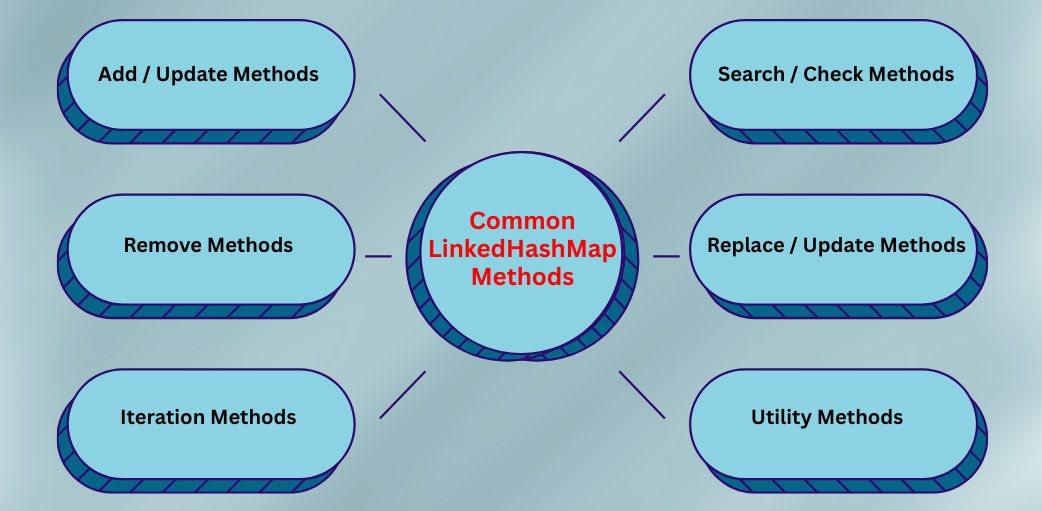
1. Add / Update Methods
put(K key, V value) → Adds or updates a key-value pair.
map.put(101, "Java");
map.put(102, "Python");
putIfAbsent(K key, V value) → Adds only if key is not already present.
map.putIfAbsent(103, "C++");
putAll(Map m) → Adds all entries from another map.
map.putAll(otherMap);
2. Search / Check Methods
get(Object key) → Returns the value associated with the key.
map.get(101);
containsKey(Object key) → Checks if the map contains the specified key.
map.containsKey(102);
containsValue(Object value) → Checks if the map contains the specified value.
map.containsValue("Java");
getOrDefault(Object key, V defaultValue) → Returns value or default if key is missing.
map.getOrDefault(104, "Default");
3. Remove Methods
remove(Object key) → Removes the entry by key.
map.remove(102);
remove(Object key, Object value) → Removes entry only if key and value match.
map.remove(103, "C++");
clear() → Removes all entries from the map.
map.clear();
4. Replace / Update Methods
replace(K key, V value) → Updates value for a key.
map.replace(101, "JDK");
replace(K key, V oldValue, V newValue) → Replaces value only if old value matches.
map.replace(101, "Java", "JDK");
compute(K key, BiFunction) → Updates value using a function.
map.compute(101, (k, v) -> v + " Updated");
merge(K key, V value, BiFunction) → Merges value with a function.
map.merge(101, "NewValue", (oldV, newV) -> oldV + newV);
5. Iteration Methods
keySet() → Returns all keys.
for (var key : map.keySet()) {
    System.out.println(key);
}
values() → Returns all values.
for (var value : map.values()) {
    System.out.println(value);
}
entrySet() → Returns all key-value pairs for iteration.
for (var e : map.entrySet()) {
    System.out.println(e.getKey() + " = " + e.getValue());
}
6. Utility Methods
size() → Returns the number of entries.
map.size();
isEmpty() → Checks if the map is empty.
map.isEmpty();
| Operation | Time Complexity |
|---|---|
| put() | O(1) |
| get() | O(1) |
| remove() | O(1) |
| iteration | O(n) |
| worst case | O(n) |
| Feature | HashMap | LinkedHashMap |
|---|---|---|
| Order | No guaranteed order | Maintains insertion order (default) or access order (if enabled) |
| Performance | Fastest map implementation | Slightly slower than HashMap due to linked list overhead |
| Null Keys / Values | Allows 1 null key, multiple null values | Allows 1 null key, multiple null values |
| Iteration | Unpredictable order | Predictable order (insertion/access) |
| Underlying Data Structure | Hash table | Hash table + doubly linked list |
| Access Order | Not supported | Can be enabled for LRU-like behavior |
| Best Use Case | Fast key-based lookup | Cache, history tracking, predictable iteration |
protected boolean removeEldestEntry(Map.Entry e) {
    return size() > 5;
}
import java.util.LinkedHashMap;
import java.util.Map;

public class Main {
    public static void main(String[] args) {

        LinkedHashMap<Integer, String> map = new LinkedHashMap<>();

        map.put(1, "Java");
        map.put(2, "Python");
        map.put(3, "C++");

        for (Map.Entry<Integer, String> e : map.entrySet()) {
            System.out.println(e.getKey() + " = " + e.getValue());
        }
    }
}
Output:
1 = Java
2 = Python
3 = C++
