
Author
A Thread is the smallest unit of execution inside a program. It allows Java applications to run multiple tasks at the same time, improving performance, responsiveness, and CPU utilization.
A Thread is a lightweight, independent unit of execution:
Java programs start with one main thread, but you can create multiple threads to run tasks concurrently.
Example:
All tasks run simultaneously.
Understanding the difference is essential:
Example: Chrome browser, VS Code, IntelliJ
Example inside Chrome:
| Feature | Process | Thread |
|---|---|---|
| Definition | Independent program in execution | Lightweight unit of execution inside a process |
| Memory Space | Own separate memory | Shares process memory |
| Communication | Slow, requires IPC | Fast, via shared memory |
| Creation Cost | Heavy | Lightweight |
| Isolation | Fully isolated | Not isolated, shares resources |
| Crash Impact | One process crash does not affect others | One thread crash can affect entire process |
| Execution | Runs independently | Runs inside a process |
| Context Switching | Slow | Fast |
| Resource Usage | High | Low |
| Use Case | Running applications | Multitasking inside an app |
In Java, threads are created to perform multiple tasks concurrently. There are two main ways to create threads:
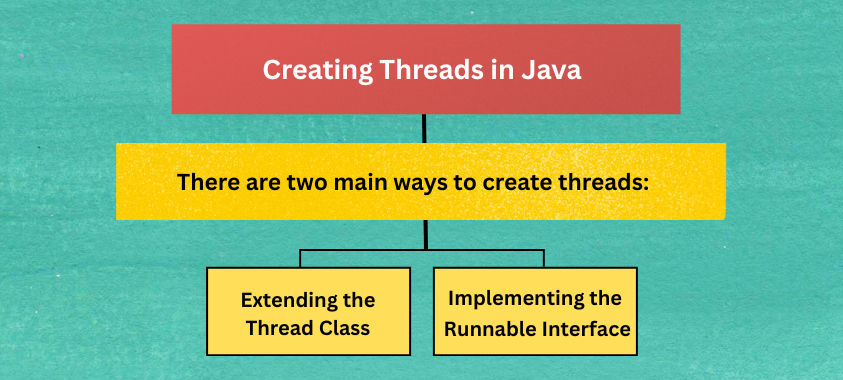
Thread ClassYou can create a new thread by extending the Thread class and overriding its run() method.
class MyThread extends Thread {
    @Override
    public void run() {
        System.out.println("Thread is running...");
    }
}

public class Main {
    public static void main(String[] args) {
        MyThread t = new MyThread();
        t.start(); // Start a new thread
    }
}
Notes:
start() to begin the thread, which internally calls run().run() directly – it executes in the main thread, not a new thread.Thread may not be ideal for large projects.Runnable Interface (Recommended)A more flexible way is to implement the Runnable interface, especially when you want your class to extend another class.
class MyTask implements Runnable {
    @Override
    public void run() {
        System.out.println("Task is running...");
    }
}

public class Main {
    public static void main(String[] args) {
        Thread thread = new Thread(new MyTask());
        thread.start();
    }
}
Advantages:
With Java 8+, you can create threads using lambda expressions since Runnable is a functional interface.
public class Main {
    public static void main(String[] args) {
        Thread t = new Thread(() -> System.out.println("Thread running using lambda!"));
        t.start();
    }
}
Advantages:
Instead of manually creating threads, you can use ExecutorService to manage thread pools efficiently.
import java.util.concurrent.ExecutorService;
import java.util.concurrent.Executors;

public class Main {
    public static void main(String[] args) {
        ExecutorService executor = Executors.newFixedThreadPool(3);

        Runnable task1 = () -> System.out.println("Task 1 running");
        Runnable task2 = () -> System.out.println("Task 2 running");
        Runnable task3 = () -> System.out.println("Task 3 running");

        executor.submit(task1);
        executor.submit(task2);
        executor.submit(task3);

        executor.shutdown(); // Stop accepting new tasks
    }
}
Advantages:
Thread t1 = new Thread(() -> {
    for(int i = 1; i <= 5; i++)
        System.out.println("Thread 1: " + i);
});
Thread t2 = new Thread(() -> {
    for(int i = 1; i <= 5; i++)
        System.out.println("Thread 2: " + i);
});
t1.start();
t2.start();
Output (interleaved):
Thread 1: 1
Thread 2: 1
Thread 1: 2
Thread 2: 2
...
start() to run a new thread.Thread.