
Author
In Java, Iterator and ListIterator are used to traverse elements in a collection. They are part of the java.util package and help access elements sequentially without exposing the underlying data structure.
Iterator is an interface used to traverse collections like ArrayList, HashSet, LinkedList, etc.
Package: java.util
Iterator<Type> itr = collection.iterator();
while(itr.hasNext()) {
    Type element = itr.next();
    System.out.println(element);
}
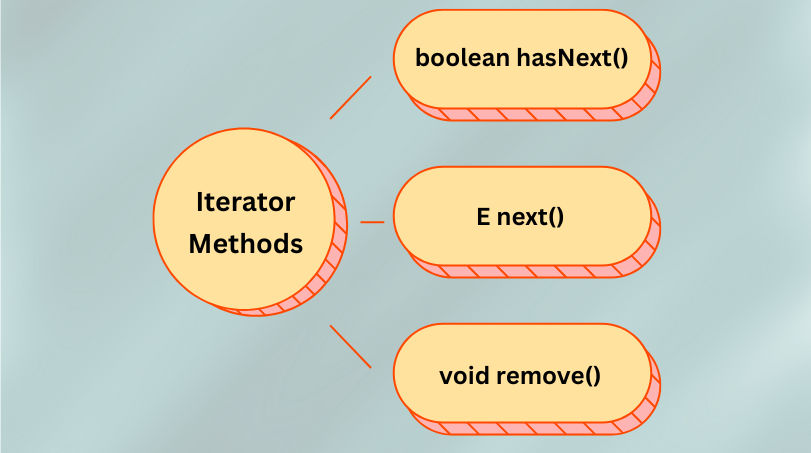
boolean hasNext() Checks if there are more elements remaining in the collection to iterate over.
Example:
Iterator<String> itr = list.iterator();
while(itr.hasNext()) {
    System.out.println(itr.next());
}
E next() Returns the next element in the iteration and moves the cursor forward.
Example:
Iterator<String> itr = list.iterator();
String element = itr.next();
System.out.println(element);
void remove() Removes the last element returned by the next() method from the underlying collection.
Example:
Iterator<String> itr = list.iterator();
while(itr.hasNext()) {
    String element = itr.next();
    if(element.equals("Python")) {
        itr.remove();  // removes "Python" from the list
    }
}
System.out.println(list);
ListIterator is a sub-interface of Iterator used specifically for List collections like ArrayList and LinkedList.
Package: java.util
ListIterator<Type> listItr = list.listIterator();

// Forward iteration
while(listItr.hasNext()) {
    System.out.println(listItr.next());
}

// Backward iteration
while(listItr.hasPrevious()) {
    System.out.println(listItr.previous());
}

hasNext() Checks if there is a next element in the list.
Example:
ListIterator<String> listItr = list.listIterator();
while(listItr.hasNext()) {
    System.out.println(listItr.next());
}
next() Returns the next element and moves the cursor forward.
Example:
String element = listItr.next();
System.out.println(element);
hasPrevious() Checks if there is a previous element in the list.
Example:
while(listItr.hasPrevious()) {
    System.out.println(listItr.previous());
}
previous() Returns the previous element and moves the cursor backward.
Example:
String element = listItr.previous();
System.out.println(element);
nextIndex() Returns the index of the element that would be returned by a subsequent call to next().
Example:
System.out.println(listItr.nextIndex());
previousIndex() Returns the index of the element that would be returned by a subsequent call to previous().
Example:
System.out.println(listItr.previousIndex());
remove() Removes the last element returned by next() or previous().
Example:
if(listItr.next().equals("Python")) {
    listItr.remove();  // removes "Python" from list
}
add(E e) Inserts the specified element at the current cursor position.
Example:
listItr.add("C#");
System.out.println(list);
set(E e) Replaces the last element returned by next() or previous() with the specified element.
Example:
listItr.next();
listItr.set("JavaScript");
System.out.println(list);
| Feature | Iterator | ListIterator |
|---|---|---|
| Collection Type | Any Collection | Only List |
| Direction | Forward only | Forward & backward |
| Remove | Yes | Yes |
| Add | No | Yes |
| Modify | No | Yes (set()) |
| Index Access | No | Yes (nextIndex(), previousIndex()) |
| Interface | java.util.Iterator | java.util.ListIterator |
import java.util.*;

public class Main {
    public static void main(String[] args) {
        ArrayList<String> list = new ArrayList<>();
        list.add("Java");
        list.add("Python");
        list.add("C++");

        Iterator<String> itr = list.iterator();
        while (itr.hasNext()) {
            String lang = itr.next();
            System.out.println(lang);
        }
    }
}
Output:
Java
Python
C++
import java.util.*;

public class Main {
    public static void main(String[] args) {
        ArrayList<String> list = new ArrayList<>();
        list.add("Java");
        list.add("Python");
        list.add("C++");

        ListIterator<String> listItr = list.listIterator();

        // Forward iteration
        System.out.println("Forward:");
        while(listItr.hasNext()) {
            System.out.println(listItr.next());
        }

        // Backward iteration
        System.out.println("Backward:");
        while(listItr.hasPrevious()) {
            System.out.println(listItr.previous());
        }
    }
}
Output:
Forward:
Java
Python
C++
Backward:
C++
Python
Java
