
Author
The Date & Time API was introduced in Java 8 to replace the old java.util.Date and Calendar classes, which were complex, error-prone, and not thread-safe.
The new API is part of the package:
java.time
? It is modern, clean, and much easier to use for handling date and time in Java applications.
Old Java date classes had several problems:
Java 8 solved these issues with a simple, powerful, and immutable API that makes date and time handling much easier and safer.
Java 8 provides different classes in the java.time package to handle date and time in a simple and efficient way.
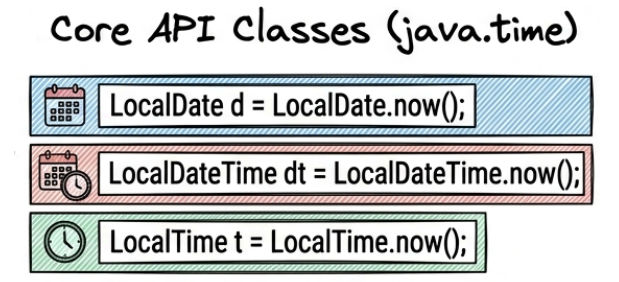
Used to represent a date without time (year, month, day).
import java.time.LocalDate;

LocalDate date = LocalDate.now();

System.out.println(date);
Example output:
2026-04-18
? This example prints the current system date.
Used to represent time without date (hours, minutes, seconds).
import java.time.LocalTime;

LocalTime time = LocalTime.now();

System.out.println(time);
? This example prints the current system time.
Used to represent both date and time together.
import java.time.LocalDateTime;

LocalDateTime dateTime = LocalDateTime.now();

System.out.println(dateTime);
? This example prints the current date and time together.
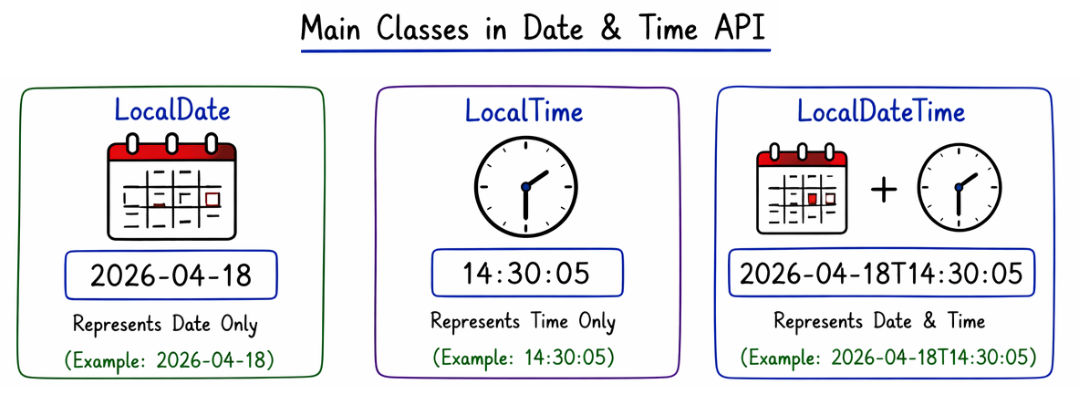
Used to handle date and time with time zone information.
import java.time.ZonedDateTime;

ZonedDateTime zonedDateTime = ZonedDateTime.now();

System.out.println(zonedDateTime);
? This example shows the current date, time, and system time zone.
Represents a point in time (timestamp), mainly used in logging and backend systems.
import java.time.Instant;

Instant instant = Instant.now();

System.out.println(instant);
? This example prints the current timestamp in UTC format.
Used to create a custom date manually.
LocalDate date = LocalDate.of(2026, 4, 18);

System.out.println(date);
? This example creates and prints a specific date.
Used to create a custom time manually.
LocalTime time = LocalTime.of(10, 30);

System.out.println(time);
? This example creates and prints a specific time.
Java Date & Time API allows you to easily modify dates using built-in methods like adding or subtracting days, months, and years.
Used to move forward in time by a specific number of days.
LocalDate date = LocalDate.now();

System.out.println(date.plusDays(5));
? This example adds 5 days to the current date and prints the new date.
Used to move backward in time by a specific number of days.
LocalDate date = LocalDate.now();

System.out.println(date.minusDays(3));
? This example subtracts 3 days from the current date and prints the result.
Used to change date by months or years easily.
LocalDate date = LocalDate.now();

System.out.println(date.plusMonths(2));
System.out.println(date.plusYears(1));
? This example:
Java provides simple methods to compare two dates in the Date & Time API.
isBefore()Used to check whether one date comes before another date.
LocalDate d1 = LocalDate.of(2026, 4, 10);
LocalDate d2 = LocalDate.of(2026, 4, 18);

System.out.println(d1.isBefore(d2));
? This example checks if d1 is before d2.
true if first date is earlierfalse if notisAfter()Used to check whether one date comes after another date.
System.out.println(d2.isAfter(d1));
? This example checks if d2 is after d1.
true if first date is laterfalse if notisEqual()Used to check whether two dates are exactly the same.
System.out.println(d1.isEqual(d2));
? This example compares both dates for equality.
true if both dates are samefalse if differentJava provides DateTimeFormatter to convert date into a readable and custom format.
import java.time.LocalDate;
import java.time.format.DateTimeFormatter;

LocalDate date = LocalDate.now();

DateTimeFormatter format = DateTimeFormatter.ofPattern("dd-MM-yyyy");

System.out.println(date.format(format));
? This example converts the current date into custom format (dd-MM-yyyy).
Java provides different patterns to format dates in various styles:
| Pattern | Example |
|---|---|
| dd-MM-yyyy | 18-04-2026 |
| yyyy-MM-dd | 2026-04-18 |
| dd MMM yyyy | 18 Apr 2026 |
ZonedDateTime is used to handle date and time with different time zones. It helps you work with global applications where users are in different locations.
import java.time.ZonedDateTime;
import java.time.ZoneId;

ZonedDateTime zdt = ZonedDateTime.now(ZoneId.of("Asia/Kolkata"));

System.out.println(zdt);
? This example shows the current date and time for Asia/Kolkata time zone.
Duration is used to calculate the difference between two time values (like hours, minutes, seconds).
import java.time.Duration;
import java.time.LocalTime;

LocalTime t1 = LocalTime.of(10, 0);
LocalTime t2 = LocalTime.of(12, 30);

Duration duration = Duration.between(t1, t2);

System.out.println(duration.toHours());
? This example calculates the difference between two times in hours.
Period is used to calculate the difference between two dates (years, months, days).
importjava.time.LocalDate;
importjava.time.Period;

LocalDated1=LocalDate.of(2020,1,1);
LocalDated2=LocalDate.of(2026,4,18);

Periodperiod=Period.between(d1,d2);

System.out.println(period.getYears());
? This example calculates the difference in years between two dates.
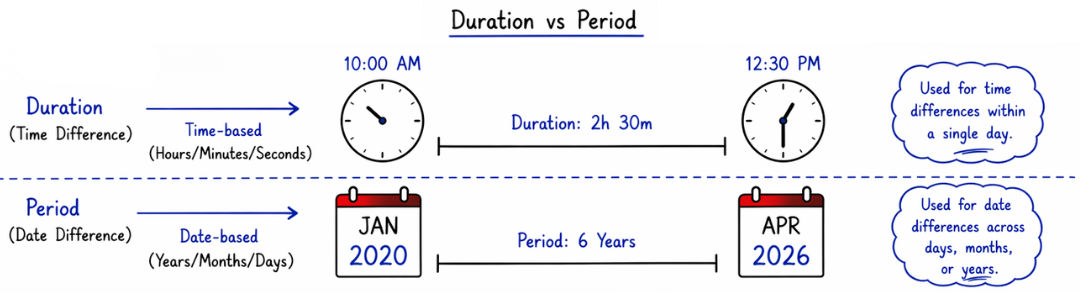
Java provides a clear difference between the old Date/Calendar API and the new Java 8 Date & Time API (java.time).
| Feature | Old API | New API |
|---|---|---|
| Design | Complex and confusing | Simple and clean |
| Thread Safety | Not thread-safe | Thread-safe |
| Time Zone Support | Poor and limited | Strong and flexible |
| Readability | Low and hard to understand | High and easy to read |

Java Date & Time API is widely used in real-world applications where accurate date and time handling is important.
The Java Date & Time API (java.time) is a modern, powerful, and clean way to handle dates and times in Java.
It helps developers:
