
Author
Lambda expressions are one of the most important features introduced in Java 8. They help developers write clean, concise, and readable code, especially when working with collections and modern Java features like the Stream API.
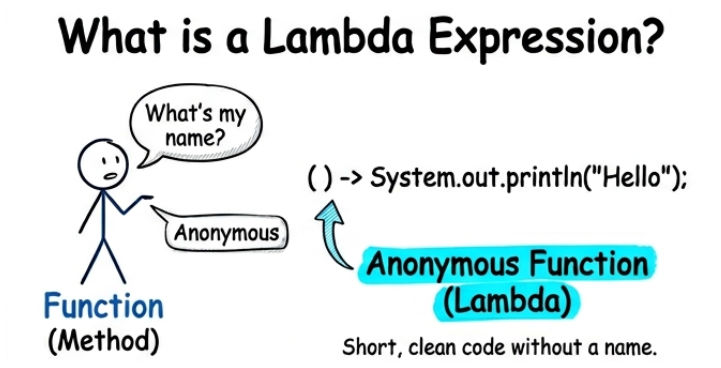
A lambda expression in Java is a small block of code that can be passed as a parameter to a method.
? It allows you to write logic inline without creating a separate method or class.
Simple Definition: A lambda expression is a short and powerful way to write functions in Java using less code and better readability.
Syntax of Lambda Expression
(parameters) -> expression
OR
(parameters) -> {
    // multiple statements
}
Explanation of syntax:
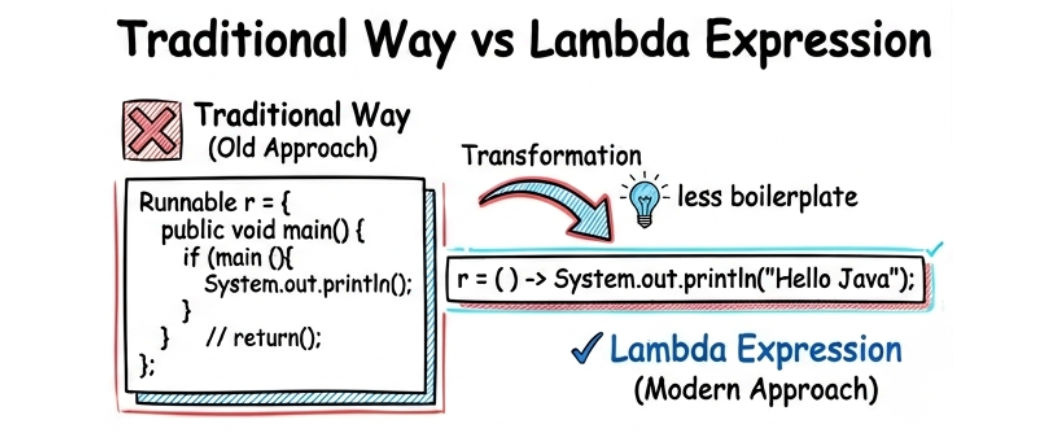
Before Java 8, developers had to write a lot of boilerplate code using anonymous classes, which made the code longer and harder to read.
Lambda expressions in Java solve this problem by making code simpler, cleaner, and more efficient.
Lambda expressions are widely used because they help in:
Let’s understand the difference between the old approach and the modern lambda approach in Java.
Without Lambda (Old Approach)
Runnable r = new Runnable() {
    public void run() {
        System.out.println("Hello Java");
    }
};
? In the traditional approach, we use an anonymous inner class, which increases the amount of code and reduces readability.
With Lambda Expression (Modern Approach)
Runnable r = () -> System.out.println("Hello Java");
? The lambda expression does the same work in a much shorter and cleaner way.
In Java, lambda expressions can be written in different ways depending on the use case. Let’s understand the main types with simple examples.
This type of lambda expression is used when no input values are required. It simply performs an action without taking any parameters.
In simple terms, this lambda is used when you just want to run a statement without any input.
() -> System.out.println("Hello");
? This example shows a lambda expression that does not take any input and directly prints a message.
Explanation of example:
() means no parameters are passed> separates input and bodySystem.out.println("Hello") is the action executedThis type of lambda expression is used when you need to accept input values (parameters) and perform some operation on them.
(a, b) -> a + b
? This example takes two input values and returns their sum.
Explanation of example:
(a, b) are input parameters> separates parameters from the logica + b is the operation performed and returned as the resultThis type of lambda expression is used when you explicitly define the data types of parameters. However, in most cases, Java automatically detects the types, so writing them is optional.
(int a, int b) -> a + b
? This example takes two integer values and returns their sum.
Explanation of example:
(int a, int b) clearly defines the data types of inputs> separates parameters from the logica + b performs the addition and returns the resultThis type of lambda expression is used when you need to write more than one statement inside the lambda body. In such cases, we use curly braces {} to define a block of code.
In simple terms, this type is used when your logic is more complex and cannot be written in a single line.
(a, b) -> {
    int sum = a + b;
    return sum;
}
? This example takes two input values, calculates their sum, and then returns the result.
Explanation of example:
(a, b) are input parameters> separates parameters from the body{} is used for multiple statementsint sum = a + b; performs the calculationreturn sum; returns the final resultLambda expressions are widely used with Java Collections such as List, Set, and Map. They make working with data structures much simpler, cleaner, and more readable compared to traditional loops.
Example 1: Iterating a List using Lambda
List<String> names = Arrays.asList("Ram", "Shyam", "Amit");

names.forEach(name -> System.out.println(name));
? This example shows how to iterate through a list using a lambda expression.
Example 2: Sorting a List using Lambda
names.sort((a, b) -> a.compareTo(b));
? This example sorts the list in ascending order using a lambda expression.
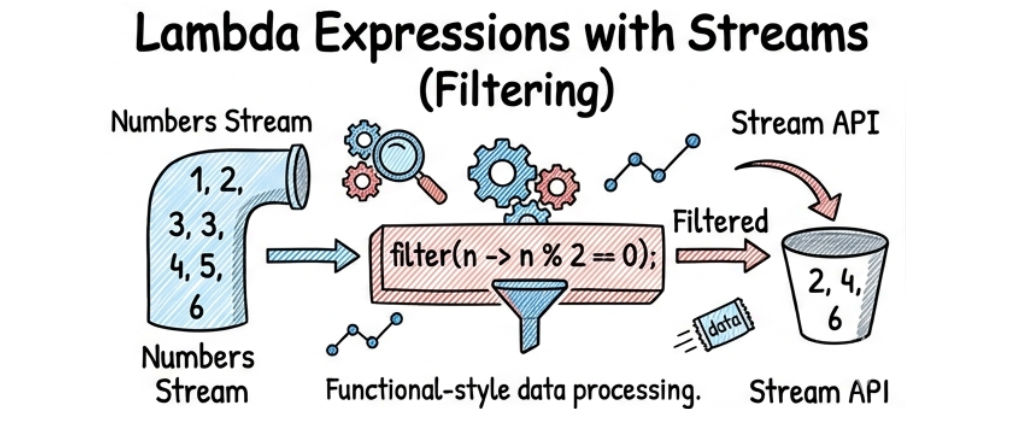
Lambda expressions become very powerful when used with the Stream API. They help you process collections in a clean, functional, and readable way.
Example: Filtering Even Numbers using Streams
List<Integer> numbers = Arrays.asList(1, 2, 3, 4, 5, 6);

numbers.stream()
       .filter(n -> n % 2 == 0)
       .forEach(n -> System.out.println(n));
Output:
2
4
6
In Java, sometimes lambda expressions can be simplified using method references. Method reference is a shorthand notation of a lambda expression that calls an existing method.
It helps make your code cleaner, shorter, and more readable.
Example:
names.forEach(System.out::println);
? This example prints each element of the list using a method reference.
How it works:
names.forEach() iterates through each element in the listSystem.out::println is a method reference to the println methodname -> System.out.println(name)Use lambda expressions when:
Avoid lambda expressions when:
Lambda expressions are widely used in real-world Java applications to make code more simple, clean, and efficient.
Lambda expressions in Java make your code shorter, cleaner, and more powerful.
They are an important part of modern Java development, helping developers write more efficient and readable programs with less code.
If you master lambda expressions, you will be able to:
