
Author
Modern applications need to communicate over networks to exchange data. Whether it’s a web application, mobile app, or backend service, networking plays a crucial role in enabling this communication.
Java provides powerful networking capabilities through the java.net package, allowing developers to build client-server applications, APIs, and distributed systems.
? Using Java networking, applications can send and receive data over the internet or local networks in a structured and reliable way.
Networking is the process of connecting multiple computers or devices to share data and resources.
In simple words: Networking allows systems to communicate with each other over the internet or local networks.
Example (Simple Networking Concept)
? When you open a website, your system communicates with a remote server using networking.
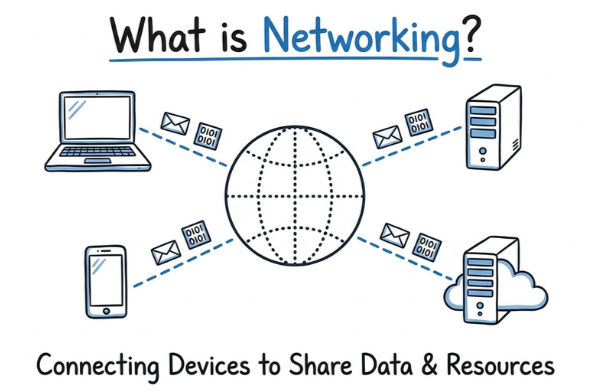
Java provides built-in support for networking using classes from the java.net package.
It allows you to:
Networking in Java follows the client-server model, which is the foundation of most modern applications.
How it Works
Communication happens over a network using protocols like HTTP or TCP.
Example
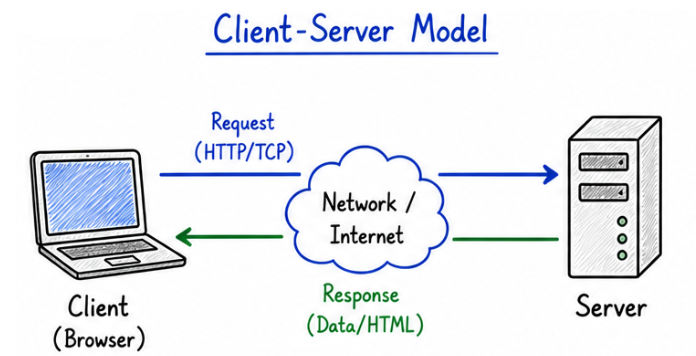
? This model is used in almost all real-world applications.
An IP Address is a unique identifier assigned to each device on a network. It works like an address that helps identify and locate a system on a network.
Example:
192.168.1.1
? It identifies which system to connect to
A port identifies a specific service or application running on a system. While IP address identifies the device, the port tells which application inside that device should handle the request.
Examples:
? It tells which service to connect to

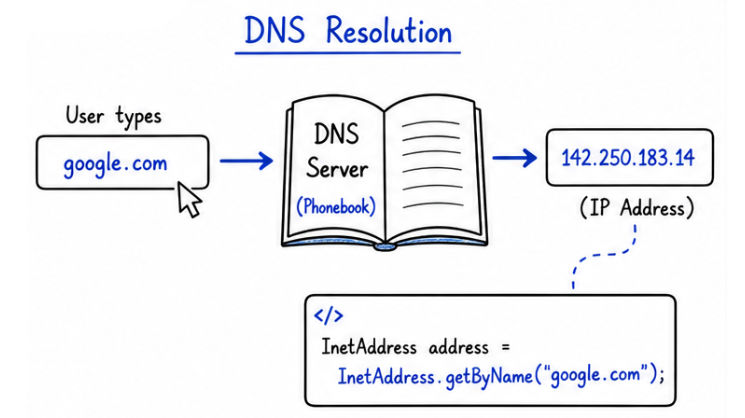
InetAddress is used to represent an IP address in Java. It helps in converting domain names (like google.com) into IP addresses and vice versa.
Example
import java.net.InetAddress;

public class Test {
    public static void main(String[] args) throws Exception {

        InetAddress ip = InetAddress.getByName("google.com");

        System.out.println("IP Address: " + ip.getHostAddress());
        System.out.println("Host Name: " + ip.getHostName());
    }
}
Output Example
IP Address: 142.250.183.14
Host Name: google.com
?Used for resolving domain names (DNS lookup) and working with IP addresses in networking applications.
DNS (Domain Name System) converts domain names into IP addresses. Domain names are human-friendly, while IP addresses are used by machines for communication.
Example:
google.com → 142.250.183.14
How It Works
? This process happens very quickly behind the scenes.
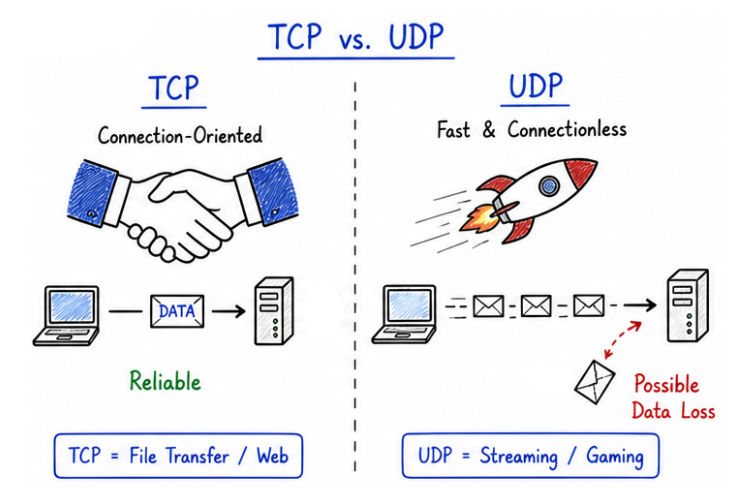
Networking communication mainly uses two protocols:
| Feature | TCP | UDP |
|---|---|---|
| Connection | Connection-oriented (establishes connection before data transfer) | Connectionless (no prior connection required) |
| Reliability | High (guarantees delivery with error checking) | Low (no guarantee of delivery) |
| Speed | Slower due to acknowledgments and checks | Faster due to minimal overhead |
| Data Loss | Data loss is prevented using retransmission | Data loss is possible and not recovered |
| Use Case | Web applications, APIs, file transfer | Streaming, gaming, real-time communication |
Java networking is used in many real-world applications where communication between systems is required:
java.net package.? Java networking makes it easier to build scalable, secure, and cross-platform network applications.
? Avoiding these mistakes helps build stable and efficient networking applications.
Networking is a core concept for building modern applications.
java.net .