
Durgesh Tiwari
Author
module-info.java is a special configuration file introduced in Java 9 as part of the Java Platform Module System (JPMS). It is used to define a Java module and configure module-related rules such as dependencies and package visibility.
In simple words:
module-info.javatells Java what a module contains and which other modules it can use.
module-info.java is called a module descriptor. It is placed at the root of a Java module and defines information about that module.
It helps Java understand:
Module name
Required modules (dependencies)
Exported packages
Accessible services
Module configuration rules
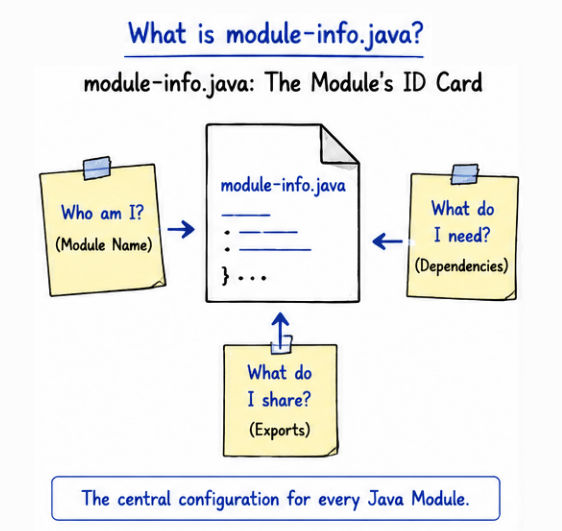
👉 It acts as the central configuration file for modular Java applications.
The module-info.java file is usually created at the root of the module source folder.
Example Structure
project/
 ├── src/
 │    ├── module-info.java
 │    └── com/example/Main.java
Basic module-info.java Example
module mymodule {

}
Here,
module → Declares a Java module
mymodule → Name of the module
This file tells Java that the project is a modular application.
A Java module can define:
Which packages are accessible to other modules.
Which external modules are required.
Reflection access permissions.
Service usage and implementations.
Simple Configuration Example
module mymodule {

requires java.sql;

exports com.example.service;
}
Explanation
requires java.sql; → imports the java.sql module
exports com.example.service; → makes package accessible to other modules
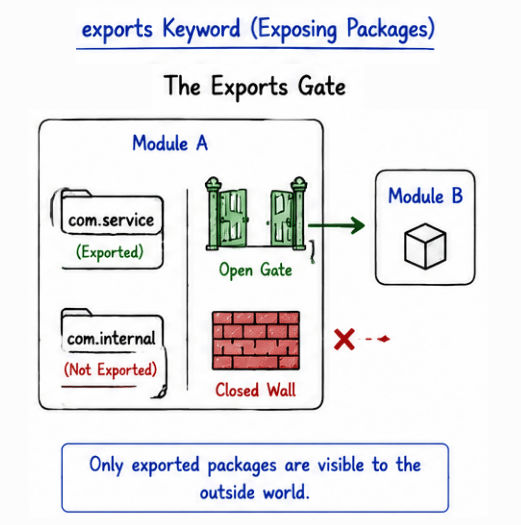
The exports keyword is used to expose a package so other modules can access it.
Syntax
exports packageName;Example
module mymodule {

    exports com.example.service;
}
👉 Other modules can now use classes from com.example.service.
The exports keyword helps control which packages are visible outside the module.
Benefits:
Provides controlled package access.
Improves encapsulation.
Hides internal implementation details.
Increases application security.
Supports modular application design.
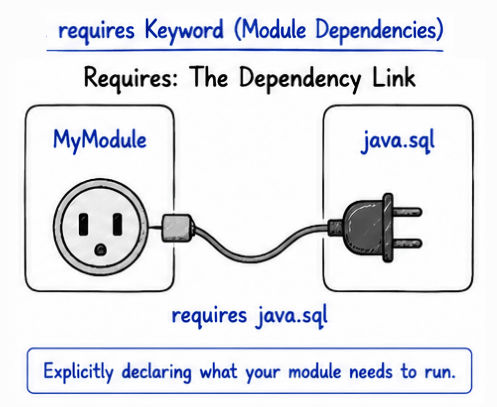
The requires keyword is used to declare dependencies on other modules.
Syntax
requires moduleName;Example
module mymodule {

    requires java.sql;
}
👉 This module can now use classes from the java.sql module.
The requires keyword helps JPMS manage dependencies explicitly between modules.
Benefits:
Provides explicit dependency management.
Avoids unnecessary library usage.
Improves application maintainability.
Helps JVM understand module relationships.
Reduces dependency conflicts in large applications.
Keyword | Purpose |
|---|---|
| Defines the module name |
| Declares dependency on another module |
| Makes a package accessible to other modules |
| Allows reflection-based access to packages |
| Declares usage of a service |
| Provides a service implementation |
Example of a basic modular Java application:
project/
 ├── src/
 │    ├── module-info.java
 │    └── com/example/
 │          └── Main.java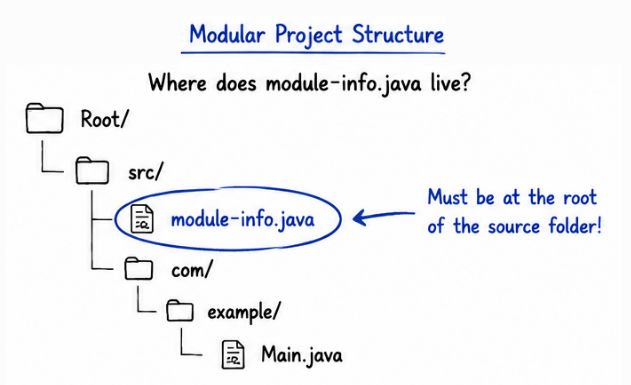
package com.example;

public class Main {

    public static void main(String[] args) {

        System.out.println("Hello Modules");
    }
}The module-info.java file plays a central role in the Java Platform Module System (JPMS) because it defines module dependencies and accessibility rules.
Benefits:
Better dependency management.
Strong encapsulation of internal code.
Improved application security.
Cleaner and more organized application structure.
Better maintainability for large systems.
Optimized runtime and smaller runtime images in some cases.
👉 It is one of the core features of modular programming in modern Java.
module-info.java is commonly used in:
Enterprise Java applications.
Large modular backend systems.
JavaFX applications.
Microservices architecture.
Secure backend systems.
Large distributed applications.
Reusable Java libraries and frameworks.
Explicit dependency declaration.
Better code organization.
Improved maintainability.
Reduced classpath dependency issues.
Strong module boundaries and encapsulation.
Better security by hiding internal packages.
Easier management of large applications.
Adds additional complexity for beginners.
Migrating older Java applications can be challenging.
Some legacy libraries may not fully support JPMS.
Managing modules in very large systems can become complex.
Small projects may not benefit much from modularization.
module-info.java is the central configuration file of the Java Platform Module System (JPMS). It helps developers build modular Java applications by clearly defining module dependencies and package accessibility.
It helps developers:
Organize applications into modules
Manage dependencies more effectively
Improve encapsulation and security
Build maintainable and scalable systems
Create cleaner enterprise-level applications
